

It is easy to remember Netflix. It is harder to remember a free trial that becomes paid next Tuesday. Orbit puts both in one place, with the next renewal date beside each service.
The app is for people who want a clear list, not another budget system. It shows what you pay, when each payment is due, and how those small monthly charges add up over a year.
See the yearly cost first
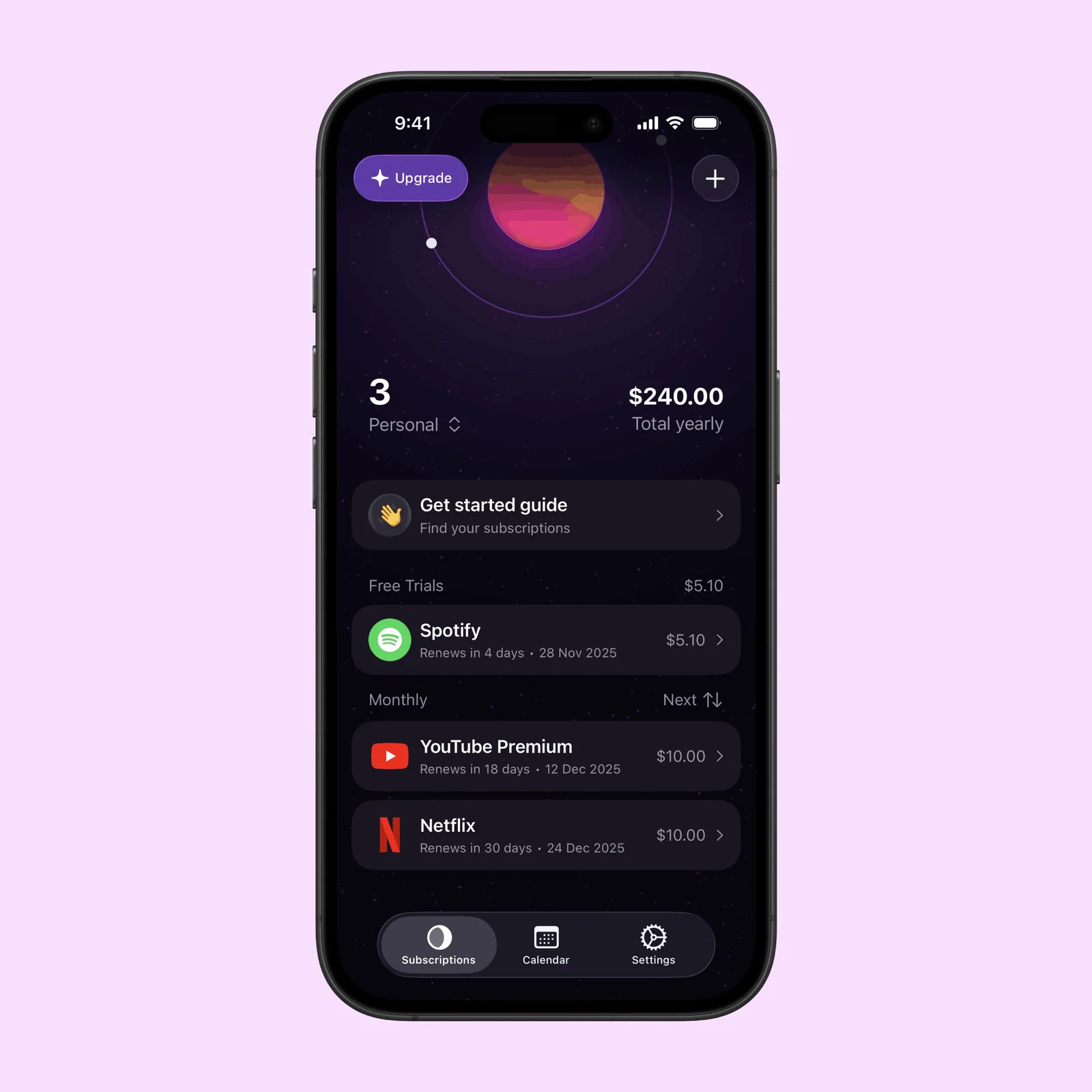
Orbit opens with the number that is usually hard to see: the total yearly cost. The main screen also separates free trials from monthly subscriptions and puts the next renewal date on every row.
This view helps when several small payments feel harmless on their own. A $5 service and two $10 services become $240 over a year. Orbit makes that total visible before you decide what to keep.
You can add a subscription by hand. Orbit also has Magic Import, which can find subscriptions through a guided setup. It can import details from screenshots, CSV files, and bank statements. This is useful when you do not have a complete list yet.
Check renewals on a calendar
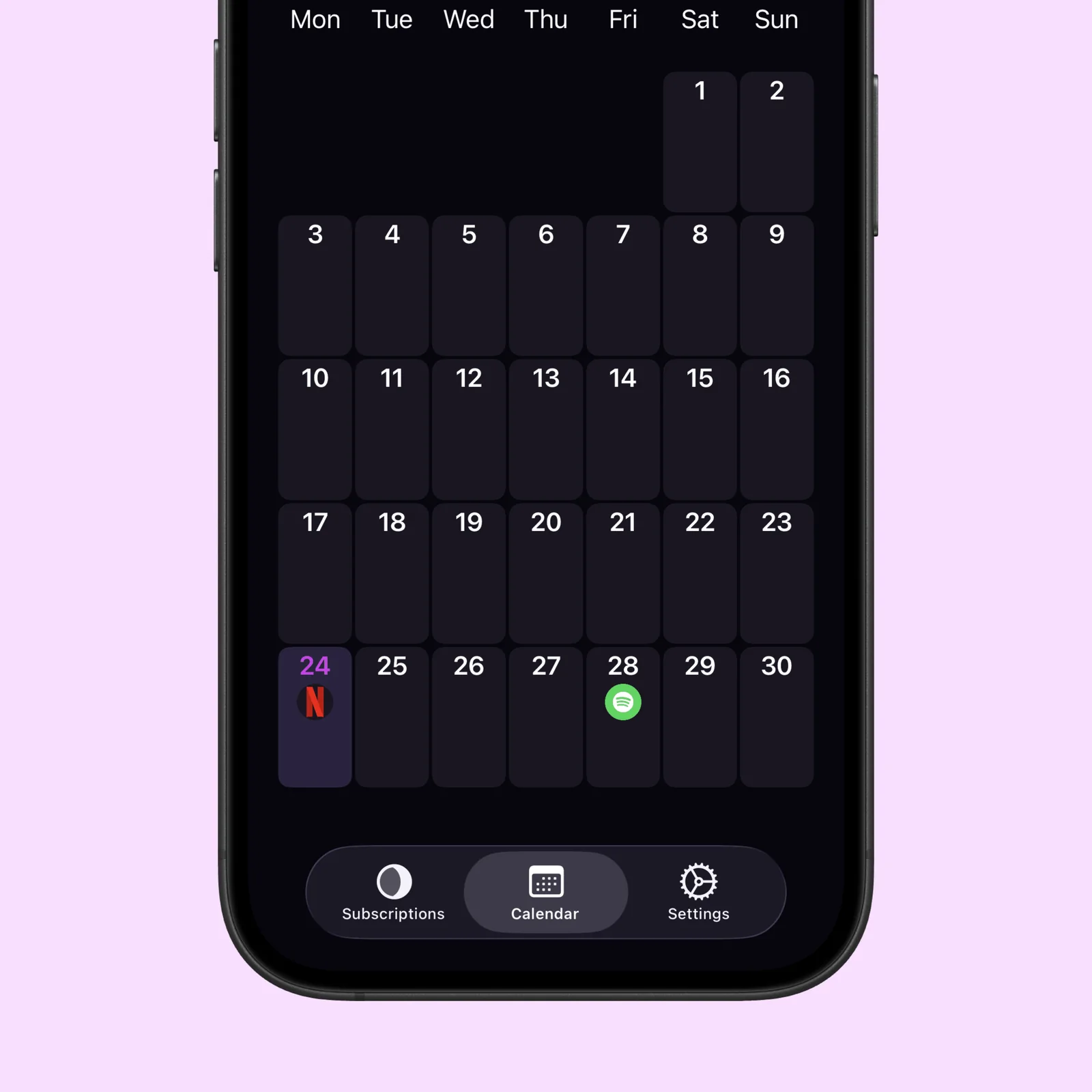
The calendar changes a list of charges into a schedule. Each renewal appears on its payment date, and the top of the screen shows the total for the month and the amount that is still to come.
This is more useful than a simple monthly total when timing matters. You can see that one service renews before payday, or that several payments arrive in the same week. Orbit can also send a notification before a renewal and warn you before a free trial becomes paid.
Keep the list easy to scan
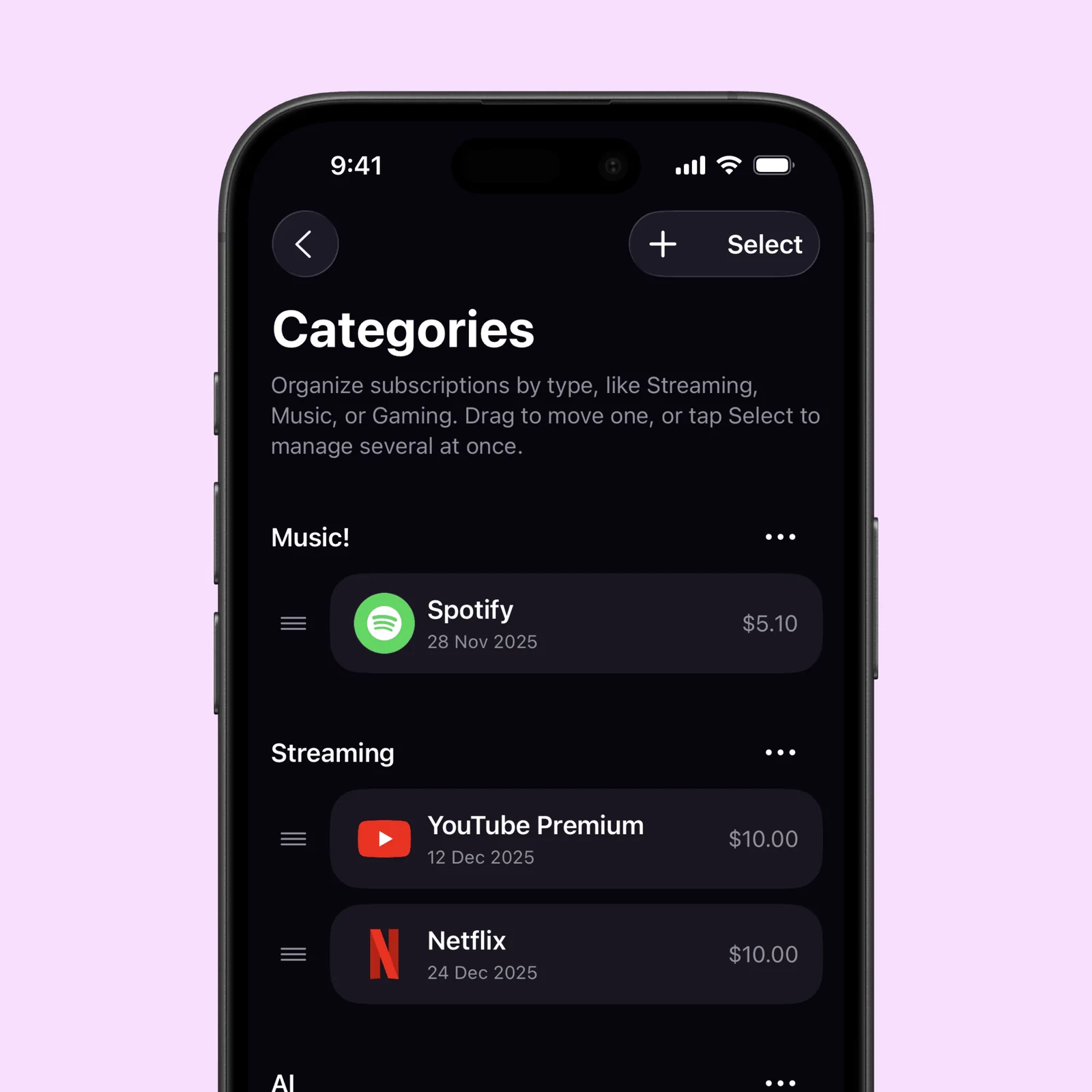
Categories keep a long subscription list manageable. Orbit can group services under names such as Music, Streaming, Gaming, or your own categories. You can move one item or select several items when the list needs a quick clean-up.
The categories also make duplicate spending easier to notice. Two video services may both be worth keeping, but it helps to see them beside each other before the next payment.
What to know before you try Orbit
Orbit is free to download and requires iOS 17 or later. The current App Store listing offers Orbit Plus as a one-time purchase. Plus adds unlimited tracking, widgets, iCloud backup, and other paid features.
The listing also says that subscription data stays on your device. That matters because imports can include bank statements or screenshots with payment details. Check each import before you save it, and remove any item that Orbit identifies incorrectly.
Orbit is a good fit if you want renewal dates and yearly cost in one focused app. Start by adding the subscriptions that renew this month. That small list is enough to show whether the calendar view is useful for you.