
Crouton keeps saved recipes, a weekly meal plan, and grocery lists in one app. It closes the gap between finding a recipe and remembering to buy what it needs.
The app suits households that already have recipes scattered across websites, notes, photos, and books. You can import them, make a plan, and use the same information while shopping and cooking.
Turn recipes into a weekly plan
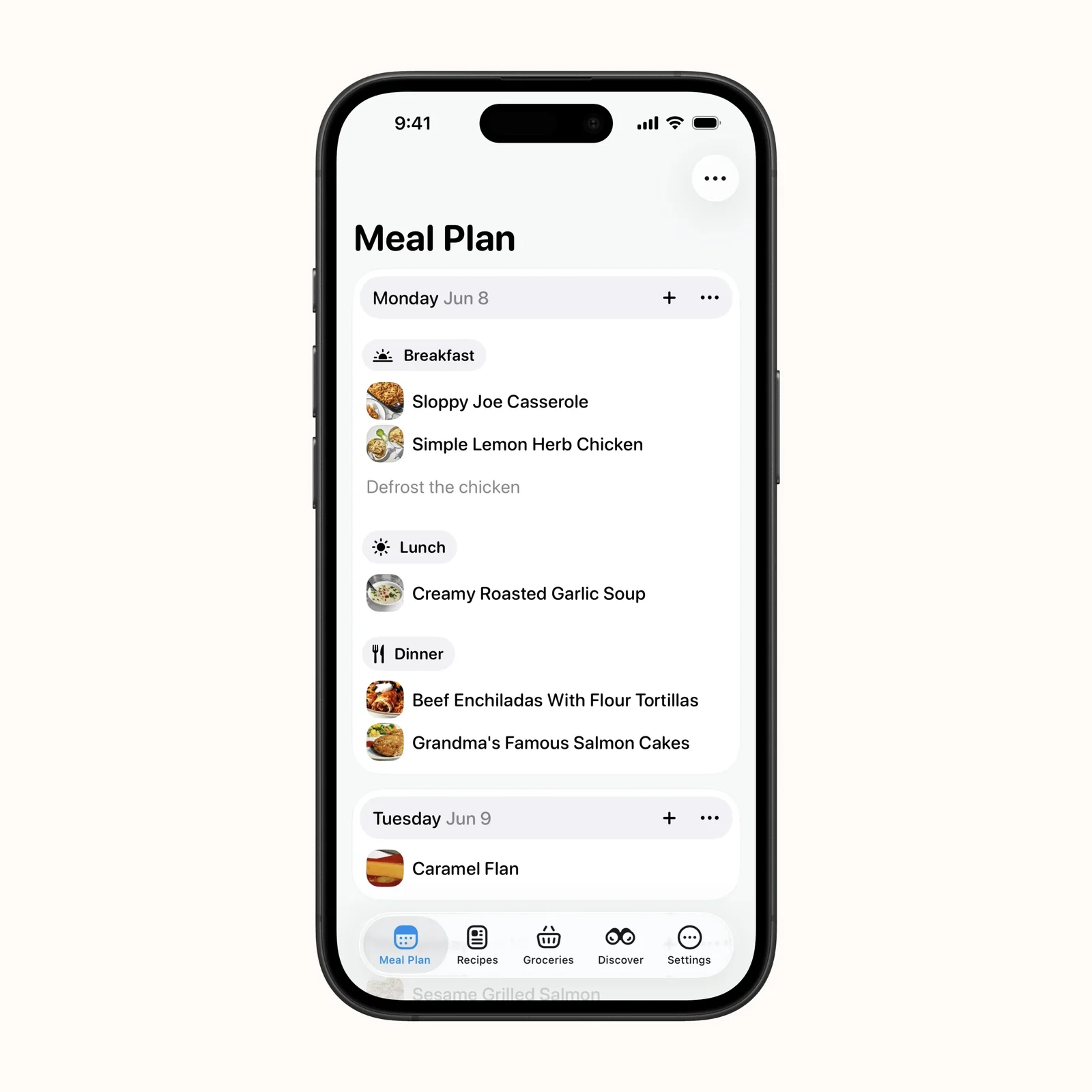
The meal plan assigns recipes to breakfast, lunch, or dinner on a particular day. Seeing the week together helps you avoid four complicated dinners in a row or buying ingredients without a clear use.
Planning does not need to cover every meal. Add the evenings that usually cause trouble, then leave room for leftovers and unplanned changes.
Cook from a clear recipe page
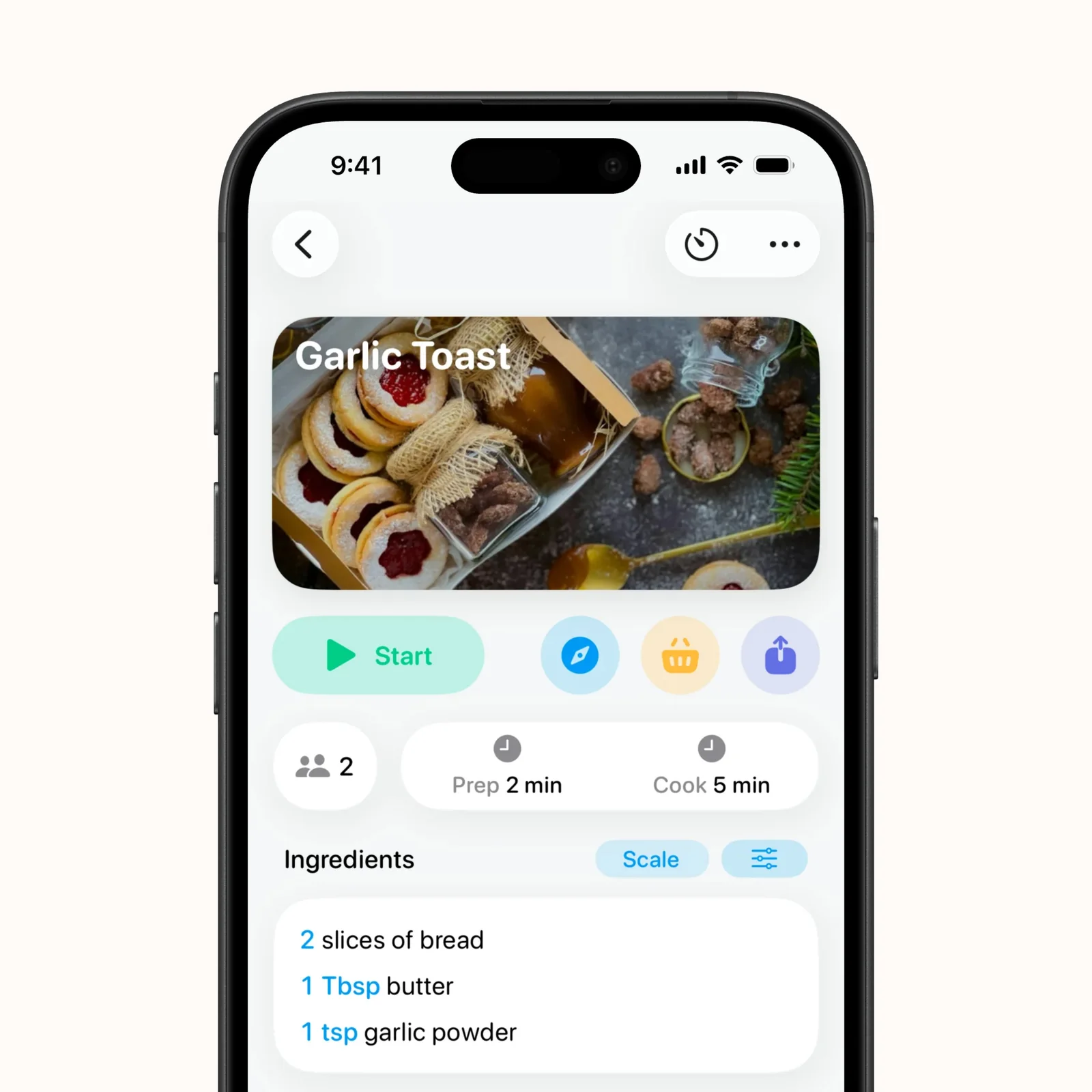
Recipe pages keep preparation time, cooking time, ingredients, and method together. A step-by-step cooking mode can keep the next instruction readable, and timers can start from recipe steps.
Imported recipes still deserve a quick check. Website formatting and ingredient groups differ, so confirm amounts and steps before you rely on the cleaned version during dinner.
Build a library you can search
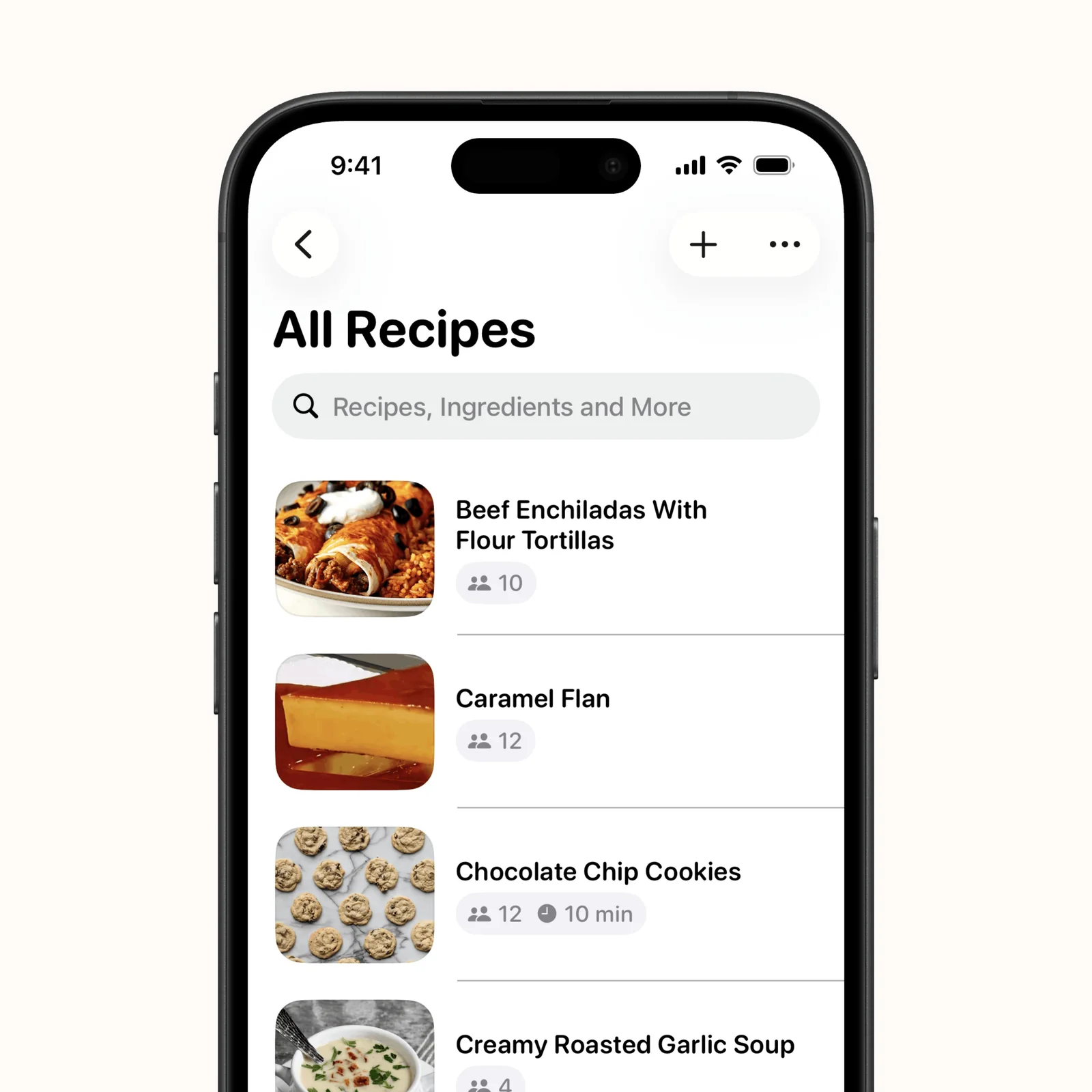
The recipe library gives saved dishes a consistent home. Search helps when you remember an ingredient or type of meal but not the original site. You can also add ingredients from planned recipes to a grocery list.
This works best when names stay practical. “Weeknight tomato pasta” is easier to find later than the exact headline used by a recipe blog.
What to know before you try Crouton
Crouton is free to download, with optional paid features. It runs on iPhone, iPad, Mac, Apple Vision, and Apple Watch. The listing requires iOS 16.1 or later on iPhone.
Recipe imports are convenient, but the original source still matters. Keep the source link when you import from the web, credit the creator when you share a recipe, and confirm that ingredient groups and temperatures survived the conversion. A clean card can hide a missing note.
Shared grocery lists also need a simple rule. Decide whether checking an item means “in the basket” or “already at home.” Without that agreement, two people can buy the same ingredient or remove something that is still needed.
Choose it if the planning step is where saved recipes stop being useful. Import three meals you already cook, place them on next week's plan, and make one grocery list. That is enough to test the full workflow.
Then cook one imported recipe from the app. This checks the part that a tidy library cannot prove: whether the ingredients, steps, timers, and screen layout are practical when your hands are busy in the kitchen. Correct the saved recipe afterward.