
The best to do list app for scattered tasks depends on where the friction starts. Capture gives loose thoughts one inbox. Todoist turns plain sentences into dated tasks. Things 3 keeps an Apple-focused system tidy, while TickTick puts tasks beside a flexible calendar.
Start with Capture if you lose tasks while choosing which app or list should hold them. Choose Todoist for fast entry into projects. Pick Things 3 for a focused Apple workflow, or TickTick if you want tasks, calendar views, reminders, and habits in one place.
- Capture for one temporary inbox before sorting
- Todoist for natural-language task entry and projects
- Things 3 for an Apple-first task system
- TickTick for tasks beside a calendar
Capture: save first, sort later
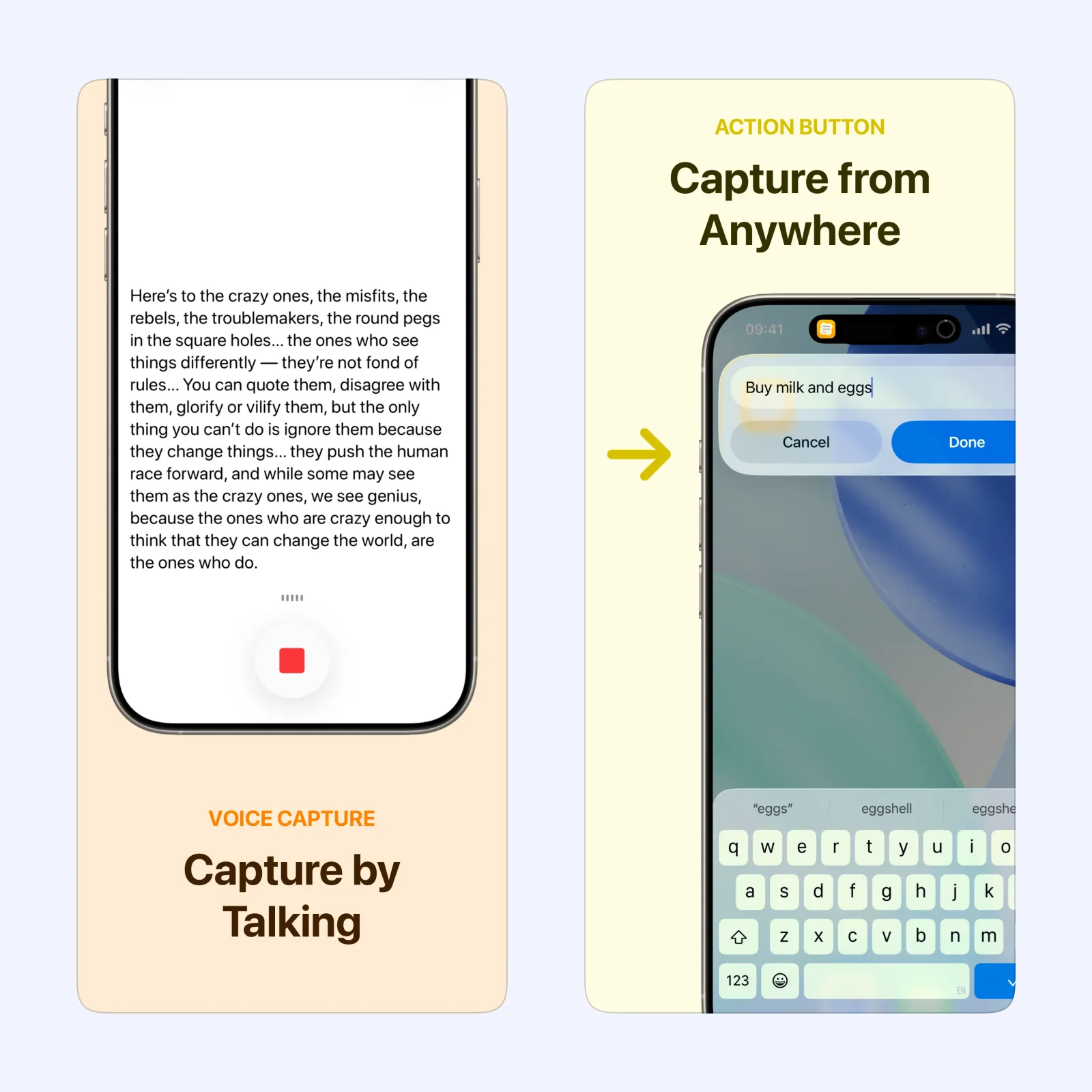
Capture is a quick inbox for notes, tasks, links, and reminders. Its main idea is simple: type into one field without choosing a final app or list. You can also use the Share Sheet, widgets, Siri, Shortcuts, or an Action Button. Voice Notes transcribes as you speak, with the language model running on the device.
After a review, you can send an item to Apple Reminders, Things, Todoist, TickTick, or many other destinations. Capture runs on iPhone, iPad, Mac, Apple Watch, and Apple Vision Pro, with sync through your own iCloud. It is free to try, with a paid Pro tier. The tradeoff is that Capture is an intake layer, not the place to manage a full project. Read the Capture product page for its current export list and platform details.
Todoist: turn a sentence into a task
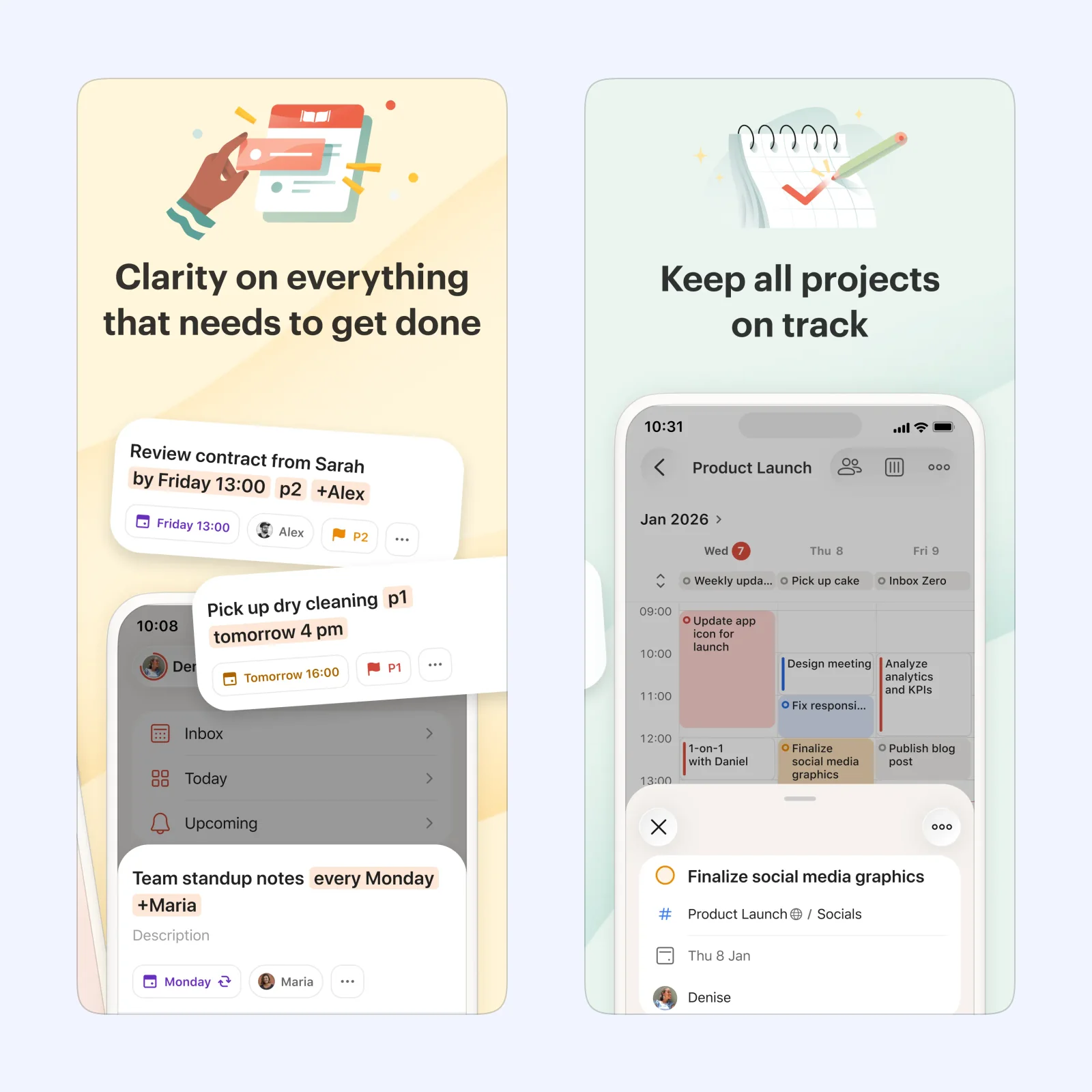
Todoist is built around Quick Add. Write a task in normal language, and Todoist can read dates, reminders, priorities, labels, and project names from the sentence. You can then view a project as a list, board, or calendar. Siri, widgets, the Share Sheet, and Apple Watch make capture available outside the main app.
Todoist runs on iPhone, iPad, Apple Watch, Mac, and other platforms. The App Store listing has a free tier and paid Pro plans. It suits people who want a fast inbox that can grow into shared projects and recurring tasks. The tradeoff is choice: projects, labels, priorities, and views are useful, but they can turn a quick list into a small system to maintain.
Things 3: keep the Apple system focused
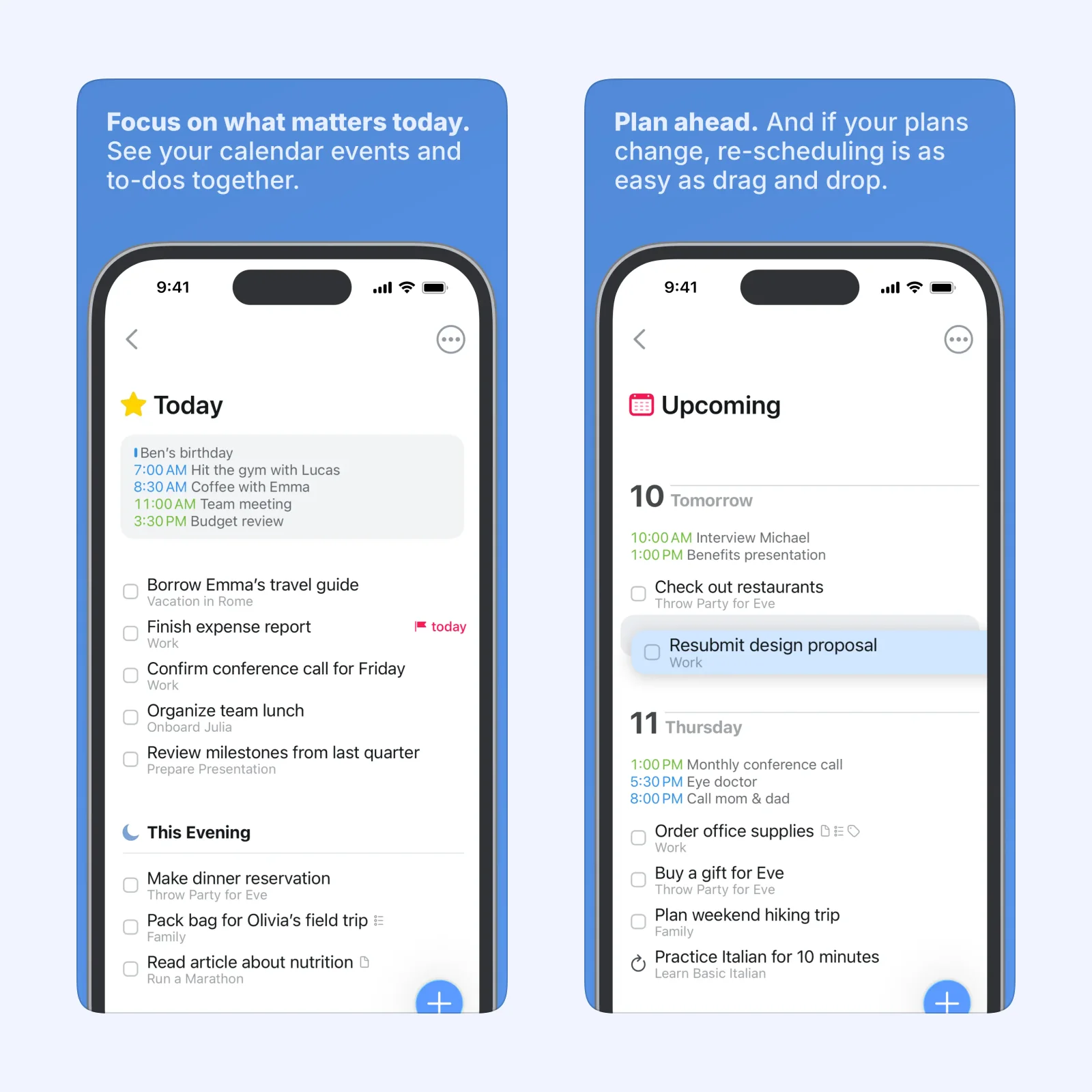
Things 3 organizes tasks into Today, Upcoming, projects, and areas. Its Today view can show calendar events beside your tasks, so the day has one place for both kinds of commitment. On iPhone, you can add a task from Control Center, the Lock Screen, Siri, or the Apple Watch app.
The iPhone app is a paid upfront purchase. Things also has separate apps for iPad, Mac, and Apple Vision Pro. It is a good fit when you want a calm Apple-only workflow with clear project boundaries. The tradeoff is the platform lock-in and separate purchase model. It also has less room for cross-platform collaboration than Todoist.
TickTick: plan tasks beside time

TickTick combines tasks with calendar views, recurring reminders, checklists, tags, priorities, and shared lists. You can add tasks with Siri, set more than one reminder, and use its calendar to see planned work beside your schedule. The app also includes a Pomodoro timer and habit tools.
TickTick supports iPhone, iPad, and Apple Watch. It is free to use, with a paid Premium account for advanced features. Choose it when your task list needs dates and time blocks close by. The tradeoff is the wider scope. If you only want a short capture inbox, its extra planning and habit features may be more than you need.
Which one should you try?
Use Capture when the main problem is losing a thought before you decide where it belongs. Use Todoist when you want that thought to become a structured task in a project. Choose Things 3 for a focused Apple setup with a clear Today view. Pick TickTick when calendar planning and recurring reminders matter as much as the list.
For a simple first test, create one inbox or project and add five tasks without sorting them immediately. Return later and give each task a date, a destination, or a delete decision. That will show whether the app helps at the point where your tasks usually scatter. You can find more focused comparisons on the Sir Studio blog, and learn how Capture works as a temporary inbox on the Capture page.