

A good golden-hour walk starts before the light turns warm. You need the sun window, a quick weather check, and enough time to reach a useful route before sunset.
These four iPhone apps split that job into clear parts. Sunlitt shows where the light will fall. Weat checks the forecast and radar. Halide gives you direct camera controls. Lumy makes the timing easy to scan.
- Sunlitt for sun paths and shadows
- Weat for forecasts and rain radar
- Halide Mark III for manual camera control
- Lumy for golden-hour times and alerts
Sunlitt: see where the light will land
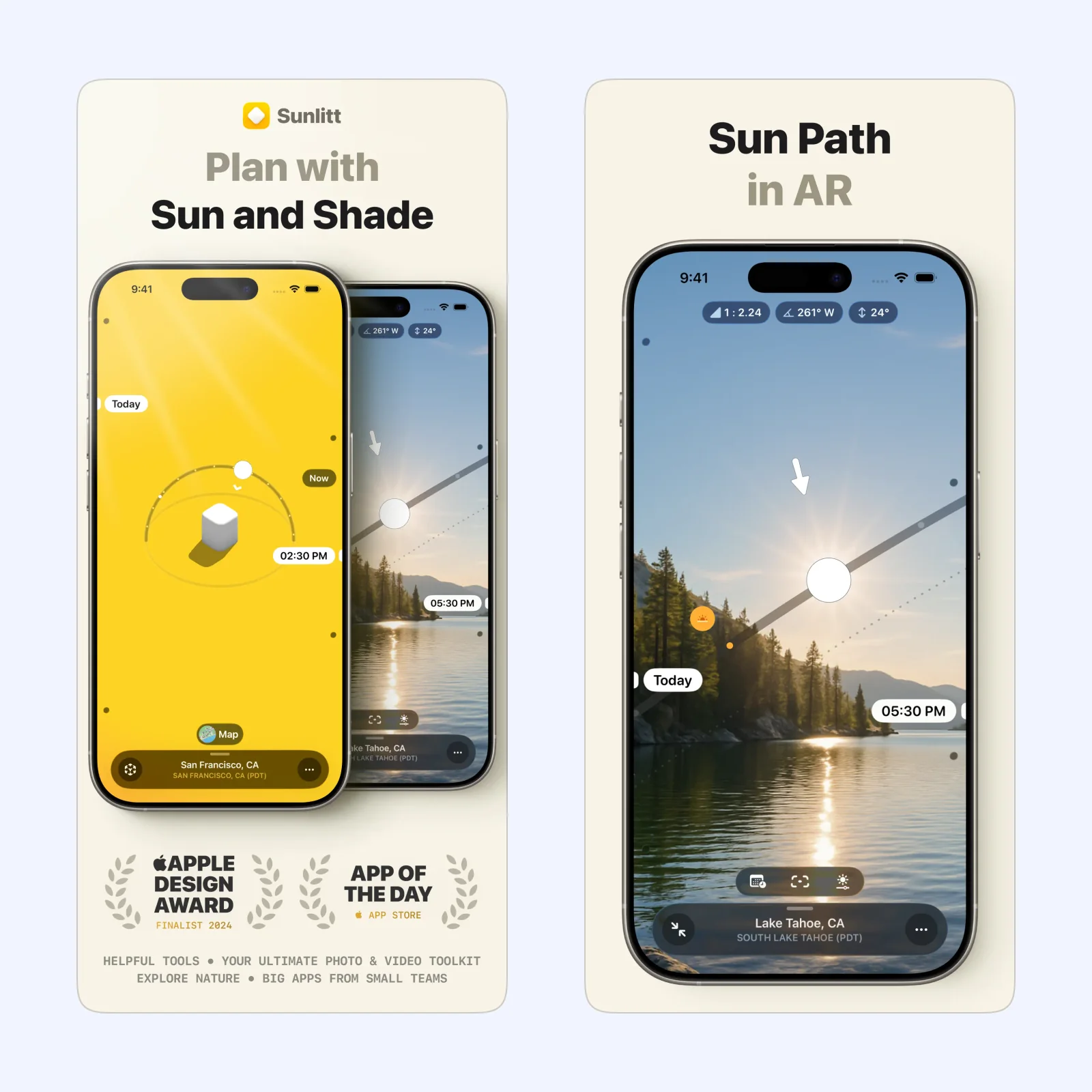
Sunlitt tracks the sun's position, solar events, and the direction of shadows. Its map helps you check whether a street, park, or viewpoint will face the sun. The augmented-reality view places the sun path over the scene in front of you.
Use it before leaving when the route matters as much as the time. A sunset time alone cannot tell you whether a tall building or hillside will block the light. Sunlitt can calculate sun data without an internet connection. It is free to download with paid Pro options on iPhone, iPad, Mac, Apple Vision, and Apple Watch.
Weat: check whether clouds or rain will interfere
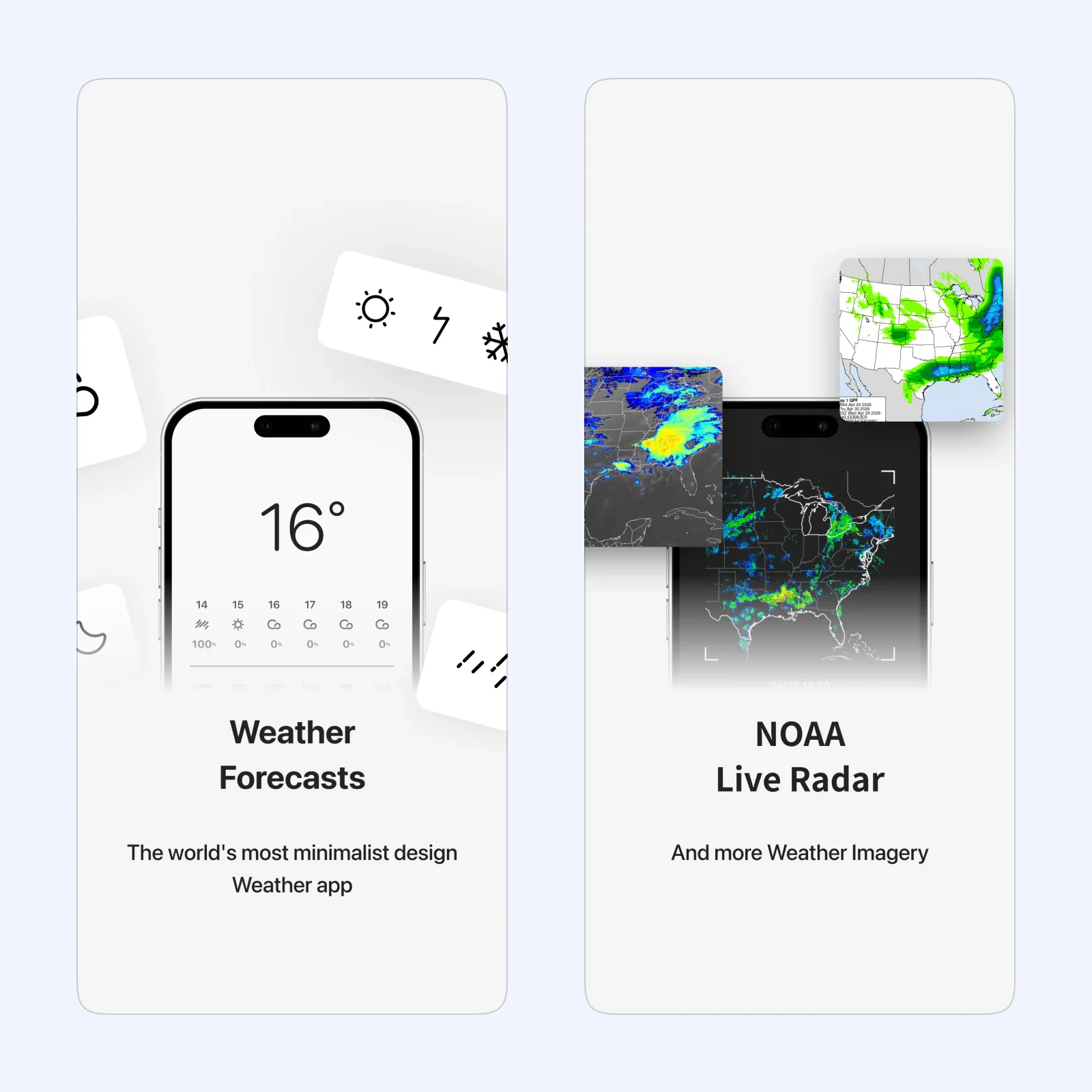
Weat puts the current forecast, hourly conditions, rain radar, wind, and precipitation chance in a restrained layout. You can also switch between several weather sources when one forecast looks uncertain.
Open the radar shortly before the walk, not only in the morning. A dry daily forecast can still hide a shower during the short light window. Weat is free to download with paid features. Its current listing supports iPhone and Apple Watch. Forecasts are estimates, so keep official weather alerts separate when conditions may be unsafe.
Halide Mark III: take control when the light changes

Halide Mark III is the capture tool in this group. It has manual shutter speed, ISO, white balance, focus controls, and RAW support. Process Zero reduces computational processing, while Looks provide finished styles inside the camera.
Manual control helps when a bright sky and darker foreground pull exposure in different directions. It also adds setup time. Try one control at a time before the best light arrives. Halide runs on iPhone and iPad. You can subscribe or buy it with a one-time purchase after the trial.
Lumy: make the light window easy to follow
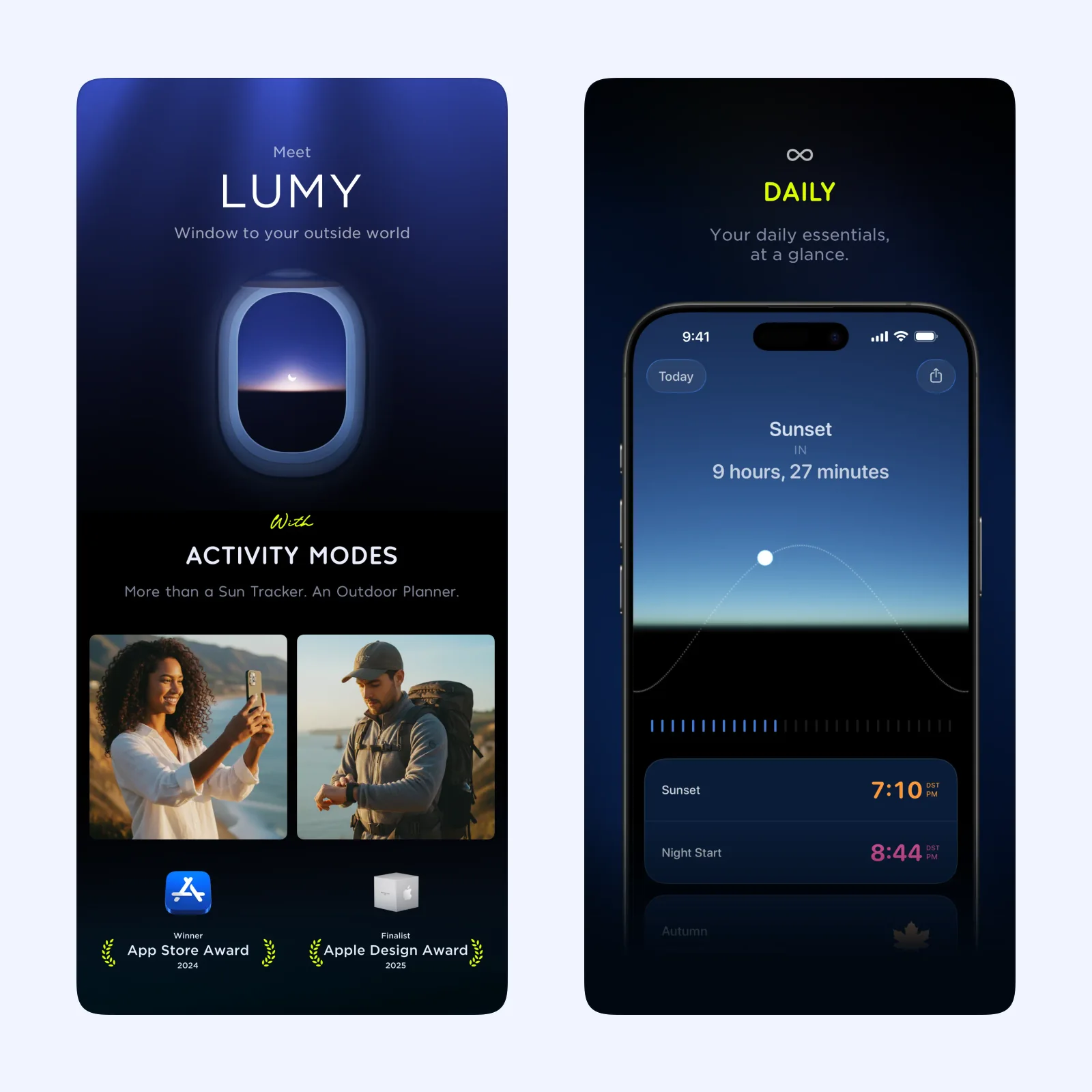
Lumy lists sunrise, sunset, golden hour, blue hour, and twilight times. Its activity modes can narrow the screen to the information you need, and repeatable notifications can warn you before a chosen sun event.
Choose Lumy when you want a simple start time without studying a map. It also includes a solar compass and a seven-day weather forecast. Sun and moon calculations stay on the device; only weather needs an internet connection. Lumy is a one-time purchase for iPhone, iPad, Apple Watch, and Apple TV, with family access.
Which one should you try?
Start with Lumy if timing is the main problem. Pick Sunlitt when buildings, terrain, or the direction of the route affects the light. Add Weat when rain and cloud cover are uncertain. Use Halide only if you want more control over the photographs, since it does not help you choose when or where to walk.
For a first setup, save the walk location in Lumy or Sunlitt and create one alert before golden hour. Check Weat ten minutes before leaving. Open Halide early enough to set exposure without spending the best part of the walk looking at controls.