

Grok Bot lets you assign work to AI coworkers from an iPhone. The bots can move across apps and websites, work on several tasks at once, and return when they need approval.
This is different from asking a chat app for one answer. The product is designed around handing off a workflow, checking the result, and keeping the final decision with you.
Run several bots at the same time
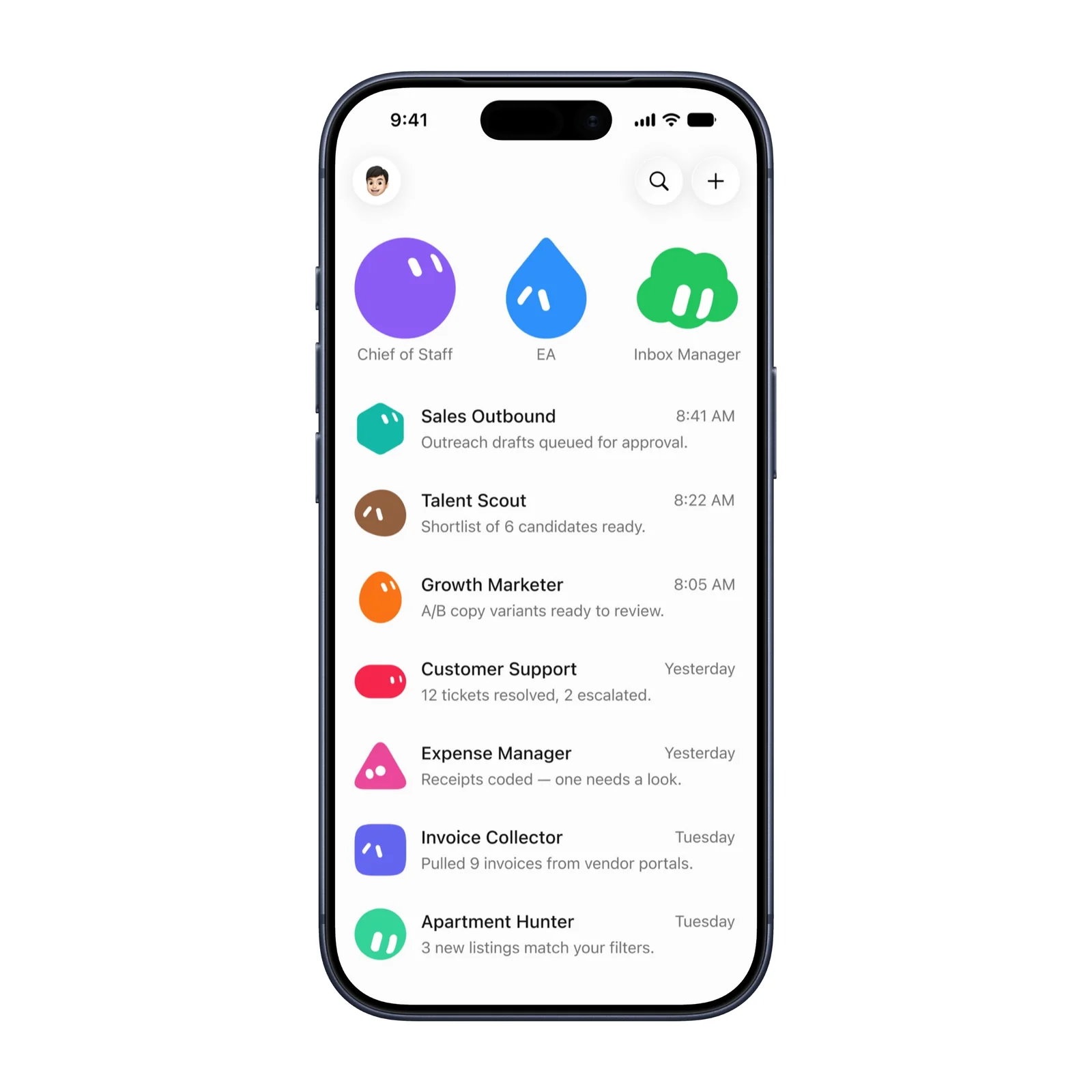
The main view can hold several role-based bots. Examples include inbox work, recruiting, customer support, expenses, and invoices. Each bot has a separate task and status, so work does not need to happen in one long conversation.
Parallel work is useful only when tasks are clear. Give each bot a narrow outcome and define what requires your review. A vague instruction can create several vague results at once.
Review an action before it happens
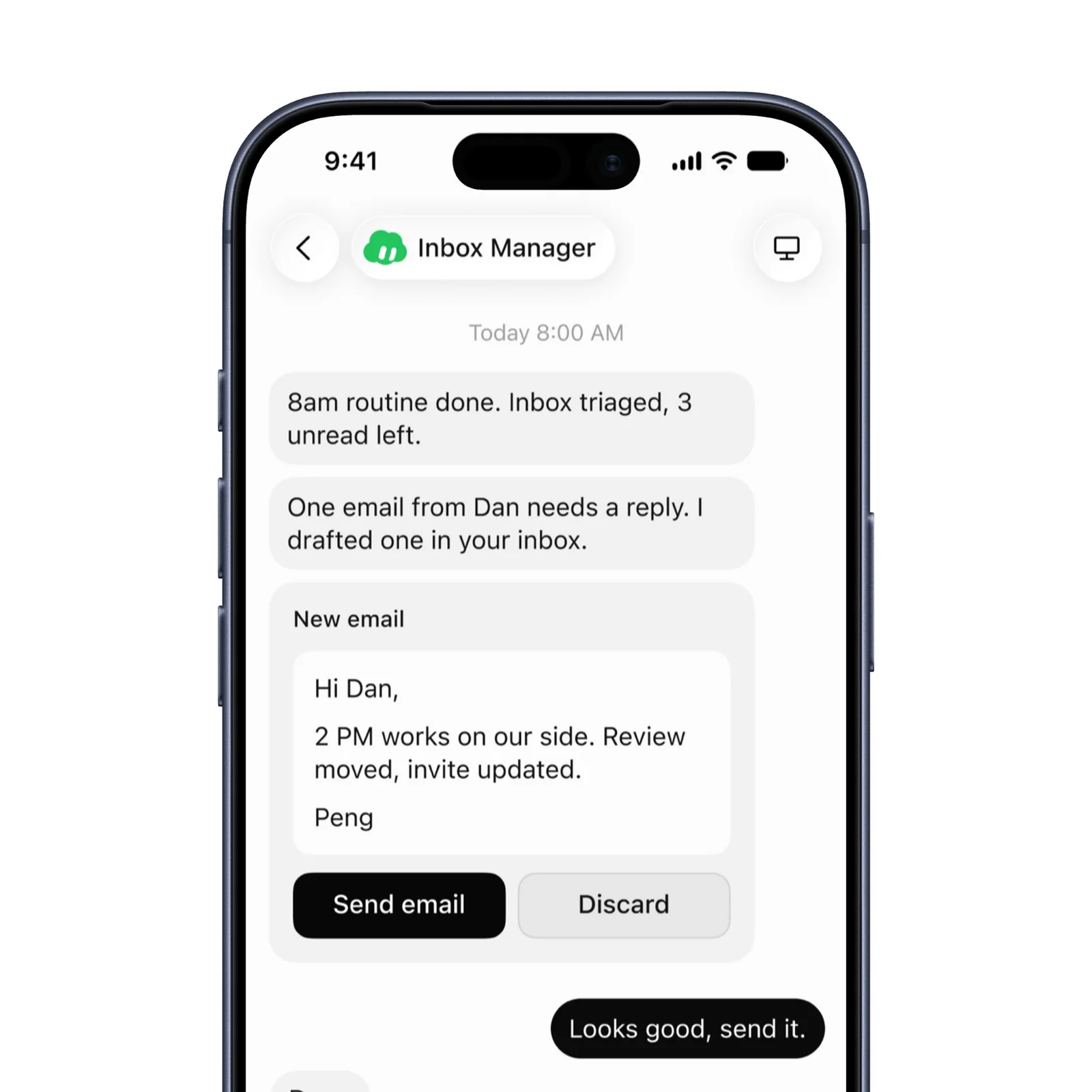
Approval is the important control. A bot can prepare an email or another action, then pause before it sends or changes something important. Read the source and output, not only the bot's short status message.
Keep higher-risk actions behind approval, including external messages, purchases, file deletion, account changes, and anything with legal or financial effect.
Return to work after the bot finishes
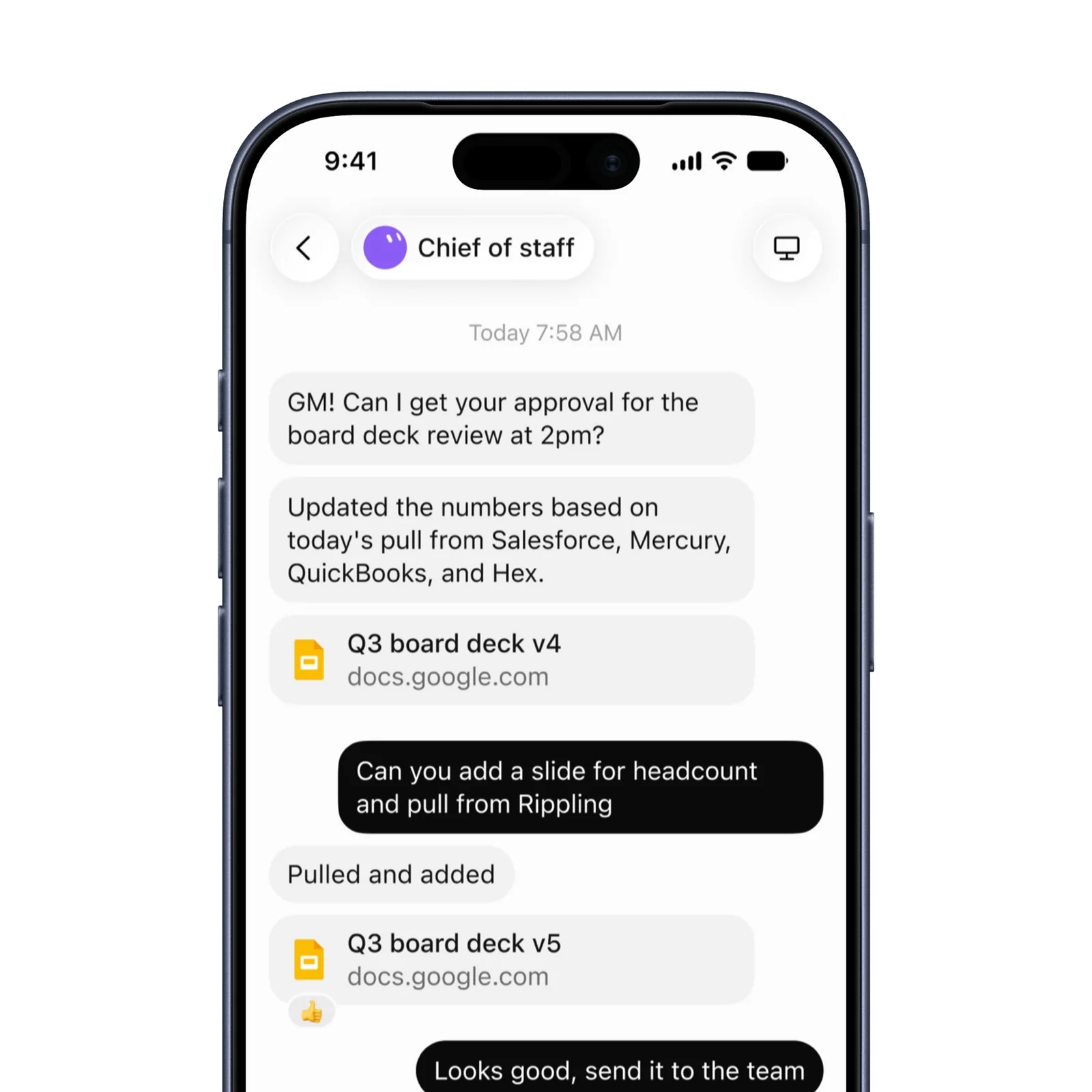
Grok Bot can continue after you close the laptop and report back on the phone. A demonstrated workflow can also become a routine for work that repeats.
Check a routine when the source system or task changes. Automation can keep doing an outdated process correctly, which is still the wrong result.
What to know before you try Grok Bot
Grok Bot is currently free and supports iPhone and Apple Vision, with iOS 18 or later required on iPhone. It is a new product, so capabilities, limits, and availability can change quickly.
Connected services determine what a bot can read and change. Use the narrowest permissions available, remove connections that are not part of the task, and check account logs after the first run. A bot that works across websites may encounter personal or company information that was not present in the instruction.
Keep a source-of-truth record outside the bot for important work. The final deck, sent message, changed row, or submitted form should be checked in the system where it now lives. A completion message is not proof that every external action happened correctly.
Start with a reversible internal task that has a clear answer. Review every step. Add connected accounts and broader authority only after you understand what the bot can see and change.
Write down the expected result before the run and compare it with the real external state afterward. This keeps a fluent progress report from becoming the standard of success.