

Journal uses moments already on your iPhone to make starting an entry easier. Photos, places, workouts, music, and other activity can become a suggestion, so you do not have to begin with an empty page.
The app suits people who want to remember ordinary days but rarely know what to write. You can ignore every suggestion and write from scratch, but the prompts give you a useful first detail.
Browse entries as a visual timeline
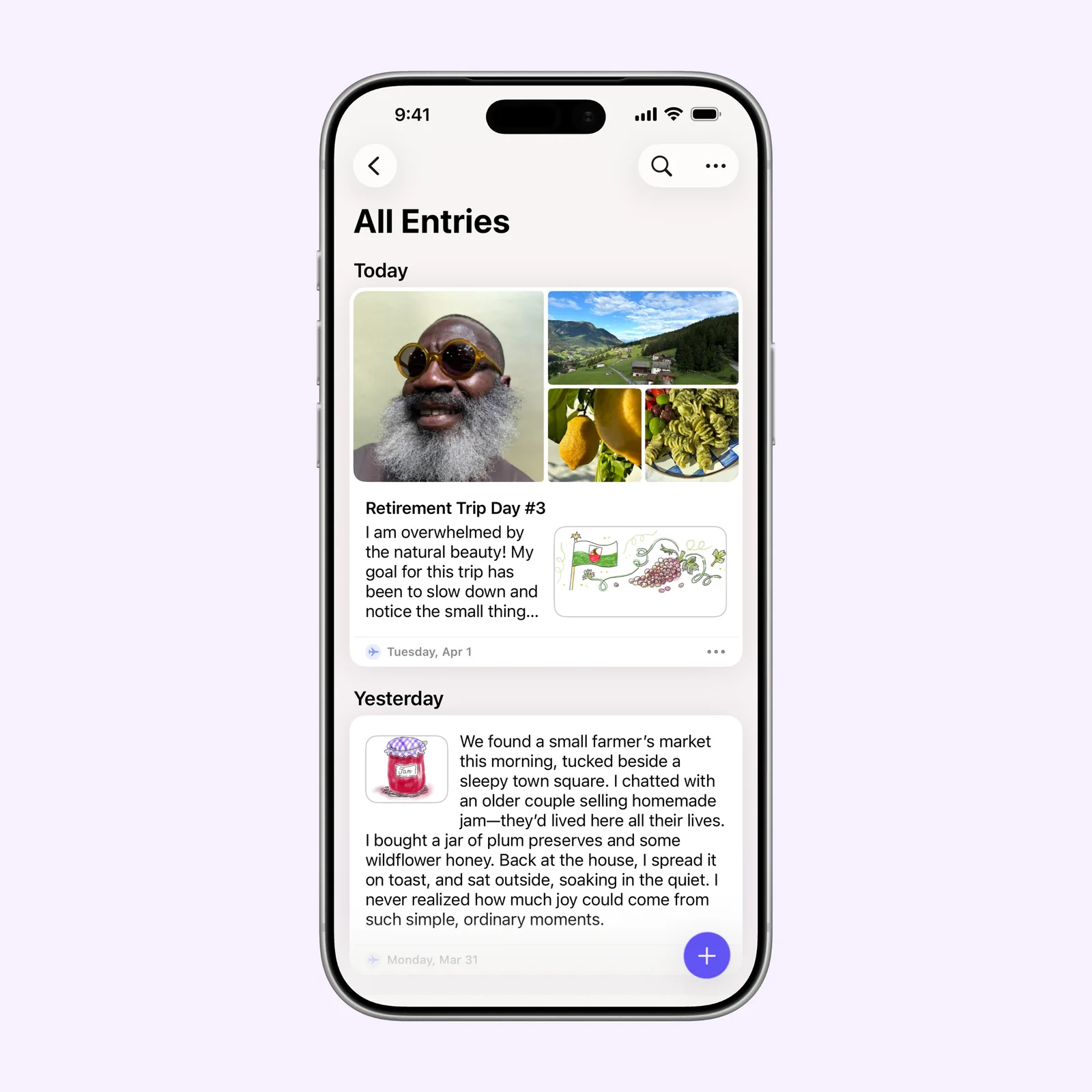
The main view combines writing and media in a chronological feed. A short note can sit beside photos and a location, while a longer entry can stay mostly text. Separate journals help when you want to keep travel, work, or personal reflection apart.
This view makes old entries easy to scan. Search and calendar browsing help when you remember when something happened but not the exact words you used.
Notice how often and where you write
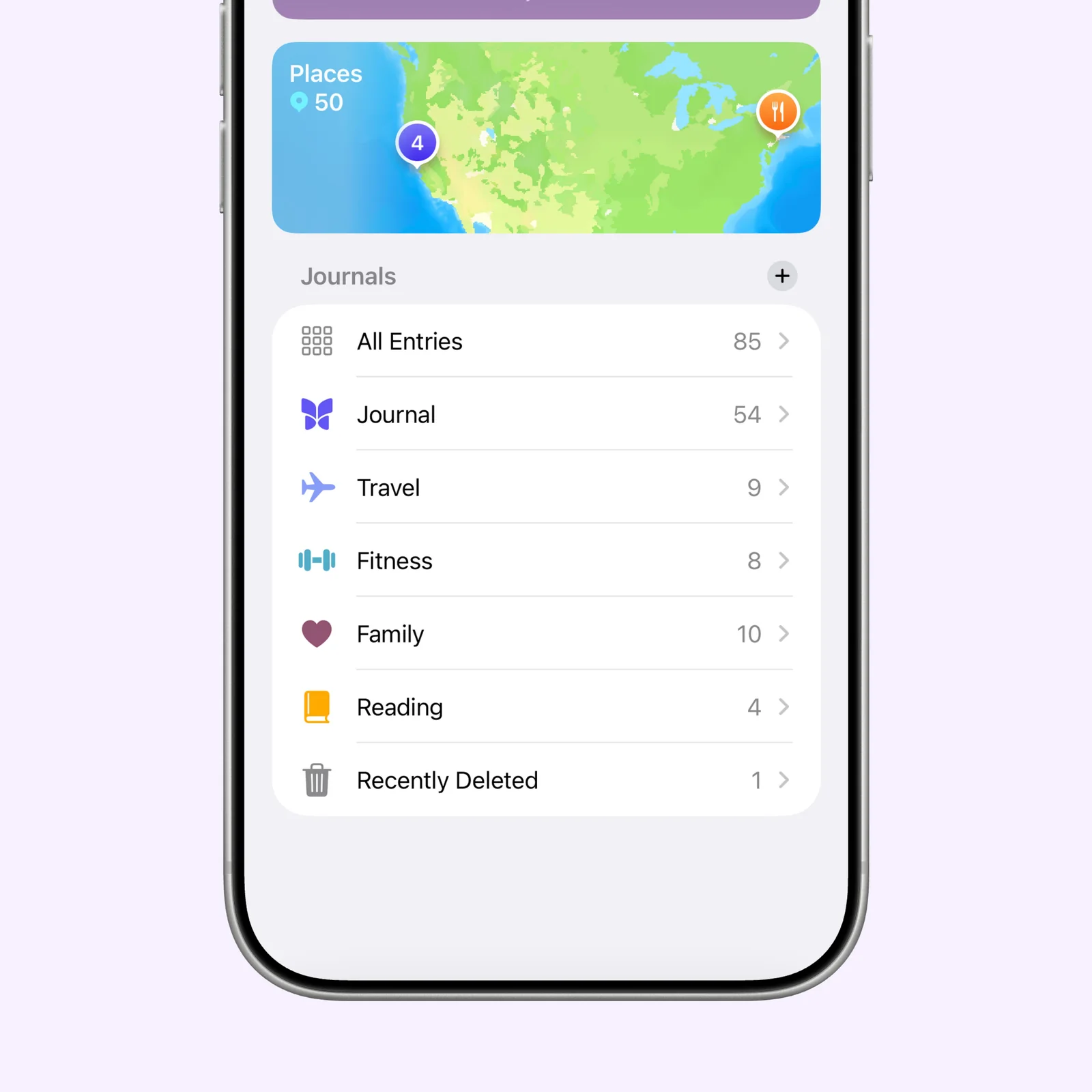
Insights show basic patterns such as entries, days journaled, streaks, and places. These numbers are optional context, not the main purpose of the app. A missed day does not damage the journal.
The Places view is more useful than a streak for many people. It gives memories a map and makes it easier to find notes from a trip, restaurant, or regular walk.
Begin with a suggested moment
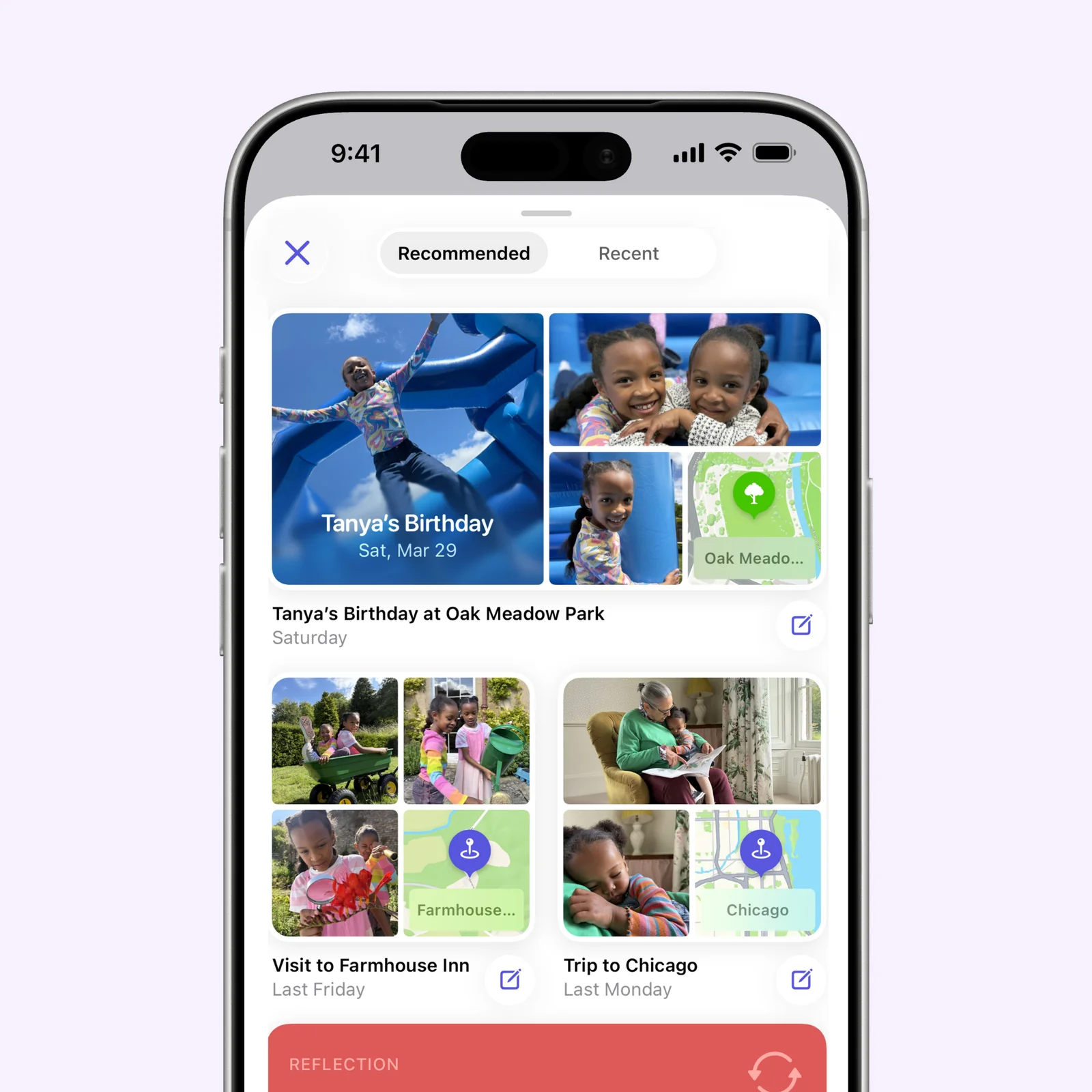
Suggestions group related moments into a possible entry. You can choose the parts worth keeping, add your own words, and leave the rest out. Journal also supports videos, audio, state of mind, sketches, and doodles.
The suggestion is a starting point, not an automatic account of the day. A specific sentence about why the moment mattered will be more useful later than a large collection of media without context.
What to know before you try Journal
Journal is free from Apple and runs on iPhone and iPad. Entries can sync through iCloud and can be protected with the device passcode, Touch ID, or Face ID.
Suggestions can contain sensitive places, people, and routines. Review what appears before using a suggested group, and delete media that does not belong in the entry. Device authentication protects access to the app, but a shared unlocked device and exported material still need normal care.
It also helps to decide whether the journal is a private record or a source for later sharing. If it is private, write plainly without editing for an audience. If you plan to publish parts, keep personal information about other people out unless they agree.
Start with one suggested moment from this week. Add two sentences that are not visible in the photos. That is enough to test whether the app helps you remember more than the camera roll alone.