

Paste keeps a history of the things you copy. Text, links, images, files, and other items become visual cards that you can search and use again instead of losing them when the clipboard changes.
It is useful for repeated work: moving details between apps, collecting references, or finding the link you copied yesterday. The Mac app is the center of the experience, with iPhone and iPad available when you need the same material elsewhere.
Keep the same clipboard across devices

Paste can sync its history through iCloud. An item copied on a Mac can appear on an iPhone or iPad without a separate message or note. This is convenient for an address, a code, or a paragraph that must move between devices.
You can also organize related items into pinboards. A pinboard can hold brand colors, support replies, product links, or anything else you reuse often.
Browse recent copies as visual cards
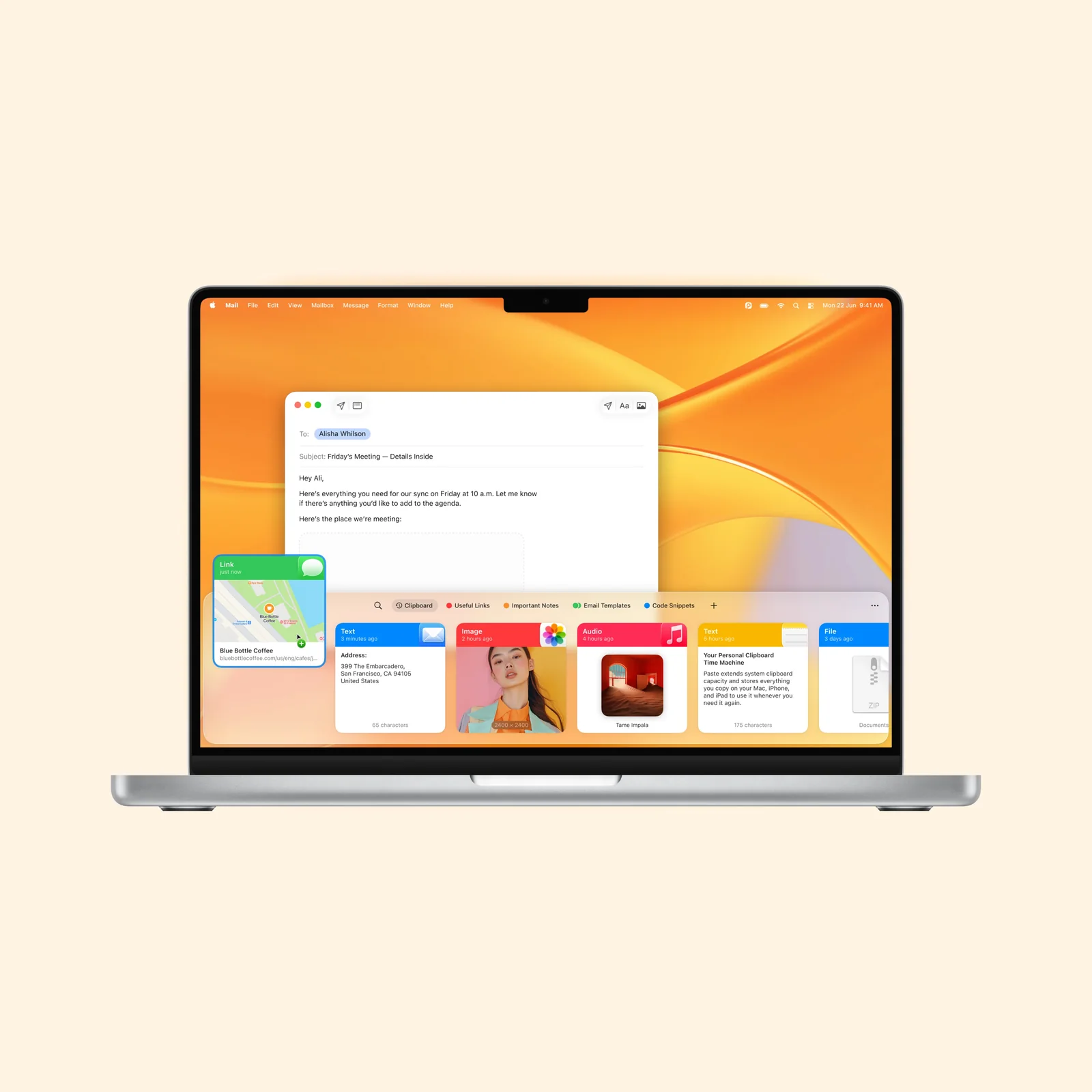
On Mac, Paste opens as a horizontal history above the Dock. Each item has a preview, so a picture and a text fragment are easy to tell apart before you paste them.
The visual history is faster than keeping a scratch document for temporary material. You can copy several items in sequence, then return to the one you need instead of switching back and forth between two apps.
Search what you copied
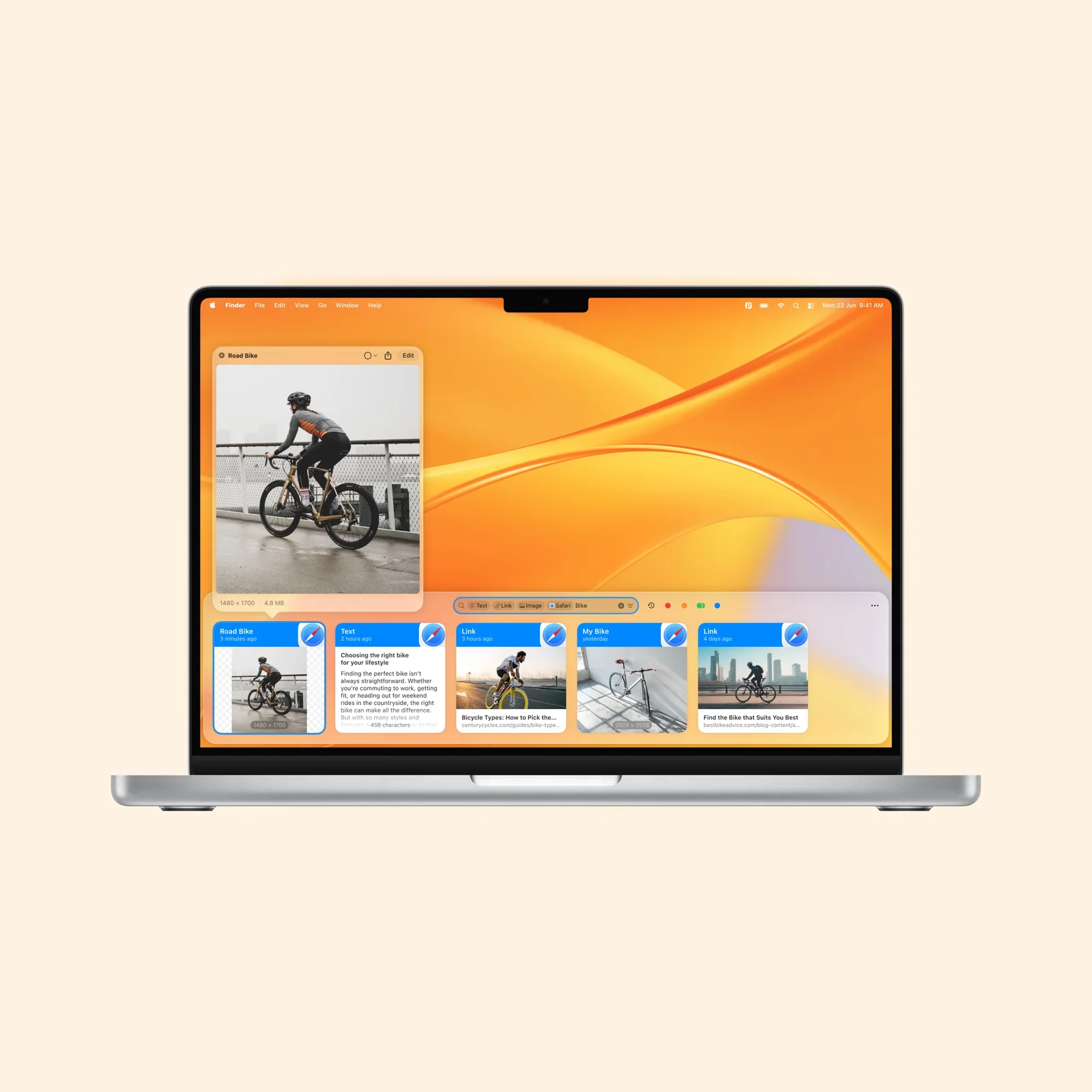
Search becomes important once the history grows. Paste can search text and recognize words inside some copied images, which helps when you remember a phrase but not the source.
Clipboard history can contain passwords, private messages, and client material. Review the app's exclusions and clear sensitive items when needed. A longer history is useful only if you are comfortable with what it keeps.
What to know before you try Paste
Paste runs on Mac, iPhone, and iPad. It offers a short trial, then paid subscription and lifetime options. The cost is easiest to justify when copy and paste is part of your daily work.
Before you keep a long history, open the retention and exclusion settings. Password managers, private browser windows, and sensitive work apps may need to stay outside the archive. Paste can save time precisely because it remembers a lot, so its boundaries should be deliberate.
The iPhone and iPad experience is also subject to Apple's clipboard and background limits. Do not assume it will behave exactly like the Mac bar in every app. Test the cross-device path with ordinary text and an image before you depend on it for an urgent transfer.
Try it with one pinboard for material you already reuse. That gives you a clear test of both the history and organization tools without turning the clipboard into another archive to manage.