
Airport days become easier when each app has one job. Flighty tracks the flight. Albo keeps saved travel material together. Notion Calendar handles time zones. Superlocal helps after arrival.
You do not need all four open at the gate. Choose the app that answers the next question, then close it when you have the answer.
- Flighty for live flight information and delay alerts
- Albo for saved places, guides, links, and screenshots
- Notion Calendar for calendars and time zones
- Superlocal for finding places that fit your taste
Flighty: follow the flight, not the departure board

Flighty collects live flight data, route details, weather, aircraft information, and airport status in one place. Add a flight before leaving home, then check its gate, departure time, inbound aircraft, and delays.
The free version includes unlimited flight tracking and live data. Flighty Pro adds faster delay alerts, gate predictions, Live Activities, Connection Assistant, calendar sync, and email or TripIt import. The current listing supports iPhone, iPad, Mac, Apple Vision, and Apple Watch. Your first flight includes Pro without requiring a card.
Flighty suits anyone worried about a late gate change or tight connection. Keep the airline app for check-in, boarding passes, and booking changes.
Albo: turn scattered saves into a trip collection
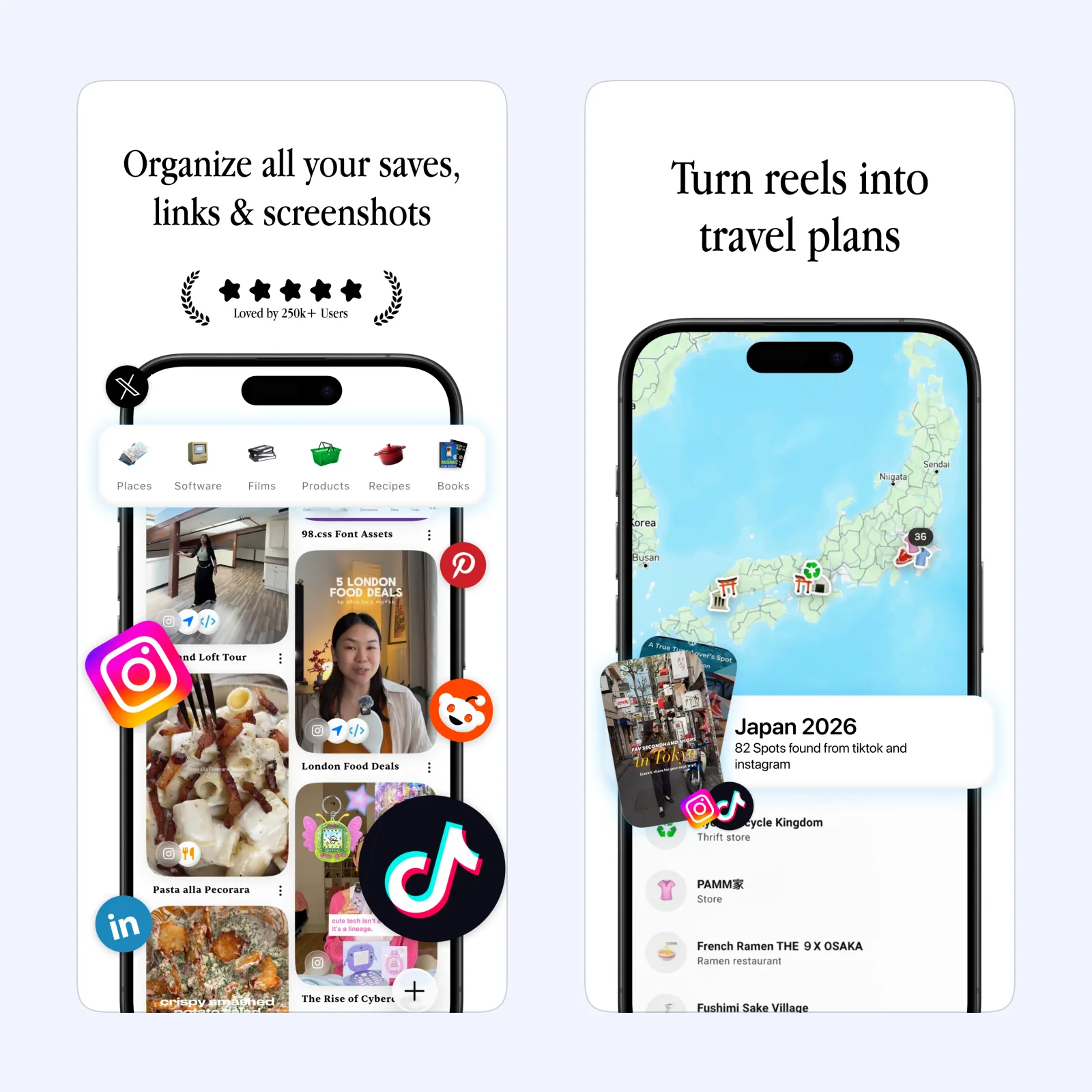
Albo gives links, videos, screenshots, and places one library. You can group items into collections, see location-based saves on a map, and share a collection with a travel companion. A hotel page, airport transfer guide, restaurant reel, and museum ticket can stay together.
Albo is free to download on iPhone and iPad, with optional paid features. Its official guides cover Instagram, TikTok, Reddit, Safari, Chrome, and screenshots. A collection still needs a useful name and some pruning. Saving every travel clip can create another inbox.
Create one collection for the current trip. Add the hotel, transport, booking, and two places you plan to visit. Albo is a planning tool, not a live flight tracker. For a broader system, see our guide to turning saved ideas into usable knowledge.
Notion Calendar: check the day in both time zones
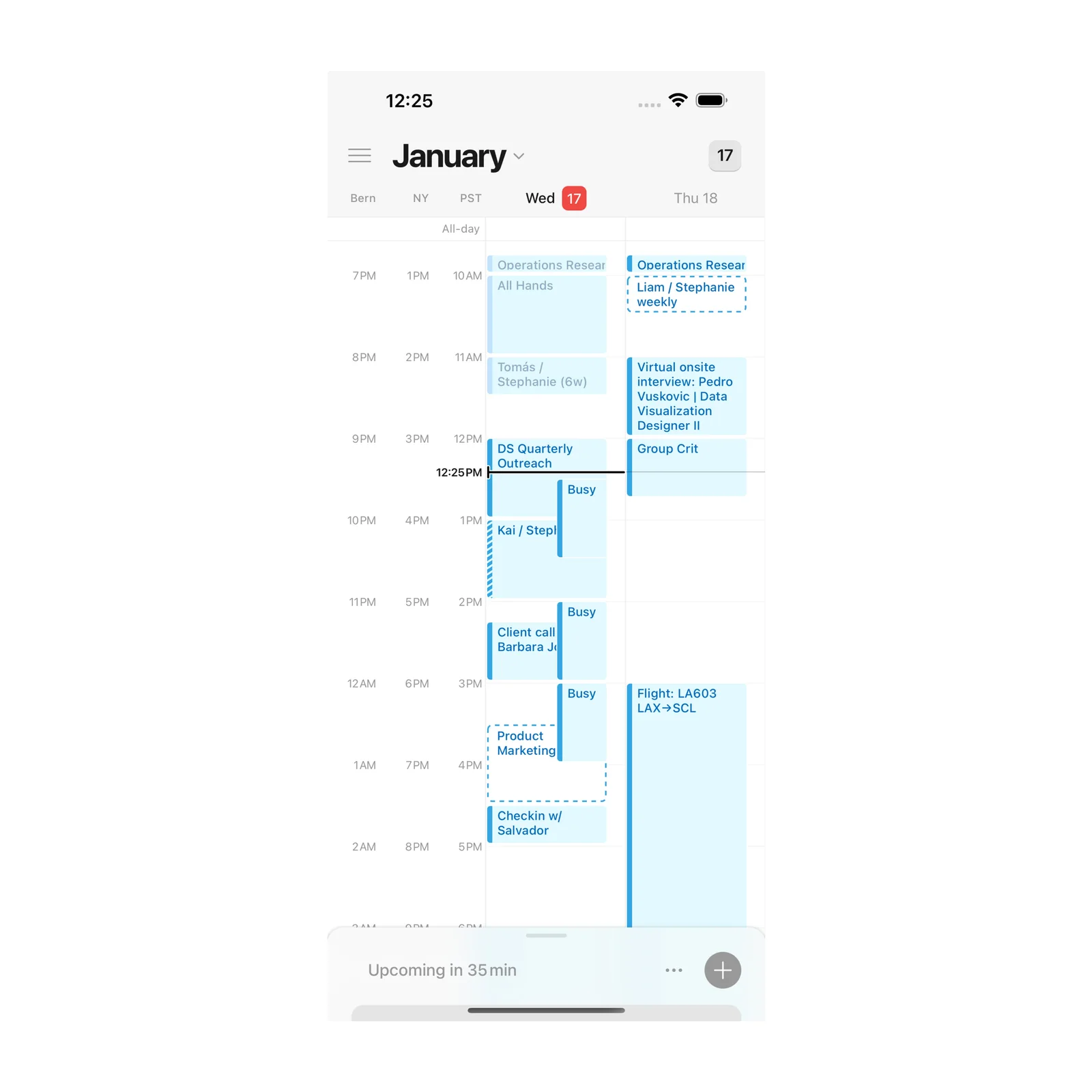
Notion Calendar can show multiple calendars and time zones together. On mobile, tap the time zone at the left to add another, then make either one primary. This helps when a flight lands on a different date or a remote meeting stays fixed to the time at home.
The iPhone app is free. Notion also provides Calendar on the web, Mac, Windows, and Android. Mobile uses one, two, or three-day views. It cannot search for events and can edit only certain events created on iOS, so prepare important entries before the airport.
Choose Notion Calendar when transport, check-in, meetings, and reservations share one day. Put the flight number and terminal in the event, then let Flighty handle live changes.
Superlocal: find a useful stop after arrival
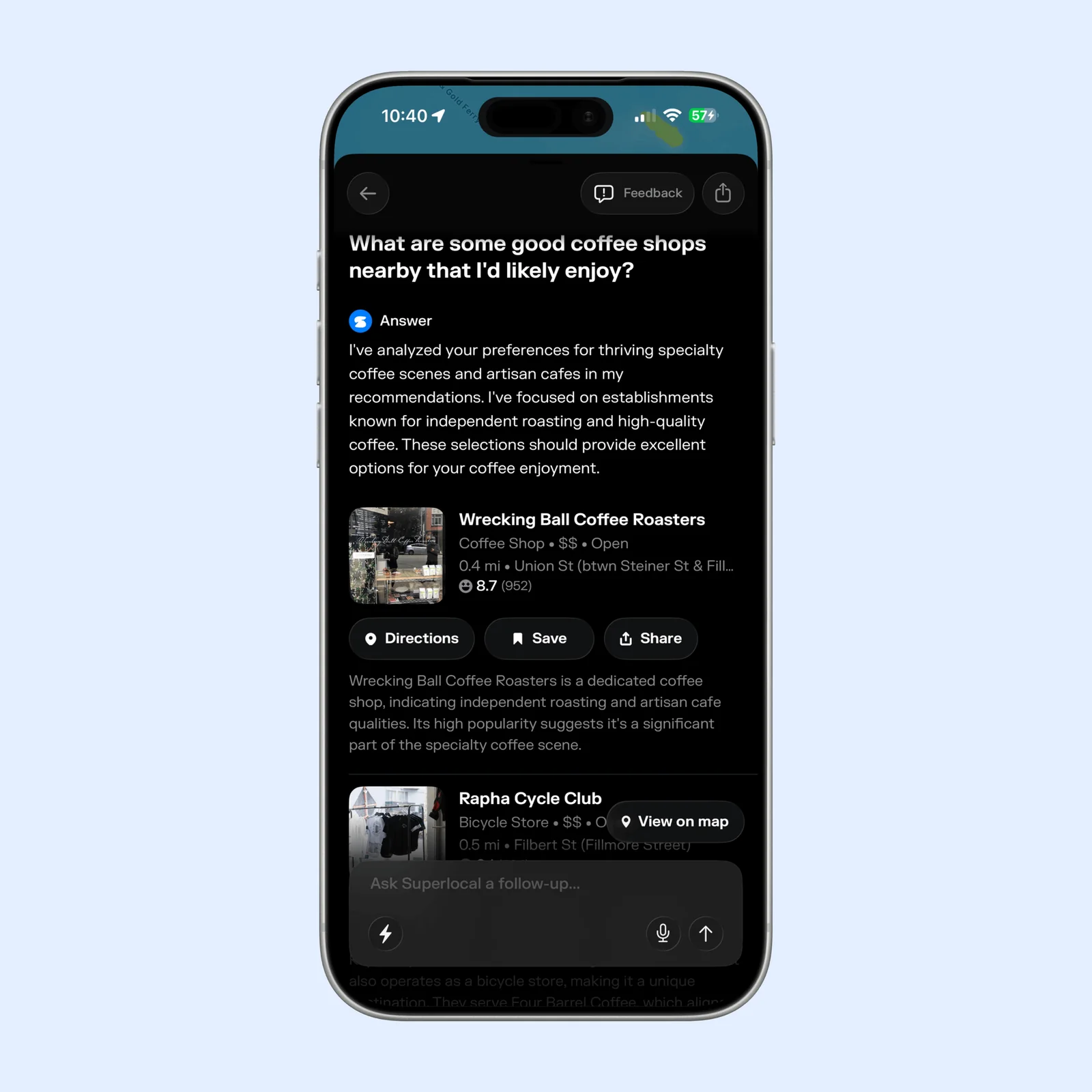
Superlocal learns from places you check into, bookmark, and explore. Its conversational search can look for a specific kind of place, such as a quiet coffee shop near the station or dinner after a late arrival.
The app is free to download on iPhone, with optional subscriptions. It can log visits, clear a Fog of World map, and use past choices for later recommendations. Review its location permissions before enabling automatic tracking. Check current hours and accessibility with the venue before making a detour.
Use Superlocal after the operational part of the trip is settled. It is for discovery, not directions to a gate or proof that a business is open.
Which one should you try?
Choose Flighty when you need to know what changed. Choose Albo when the problem is finding something you saved. Use Notion Calendar when the day crosses calendars or time zones. Open Superlocal when you have arrived and want a place that suits you.
Start with the point where your last airport day became messy. Add one flight, make one trip collection, add the destination time zone, or save five places. Prepare that answer before you leave.