
Capture 3.0 is out on every platform it runs on: iPhone, iPad, Mac, Apple Watch and Apple Vision Pro. It is built for this year's releases across all of them, and the three biggest changes have something in common. They all happen outside the app. Siri can work with your captures, a recording can turn into more than a transcript, and everything you have saved now shows up in Spotlight.
Siri can create, find and edit captures
Capture adopts Apple's assistant schema for notes, which is the part of App Intents that lets Siri operate an app it was never specifically taught. That covers creating a capture, updating one, appending text to one, searching inside the app, and opening a specific capture.
In practice you stop switching apps for the small stuff. "Add book the Sintra day trip to my Travel list" goes straight in, and you see it land.
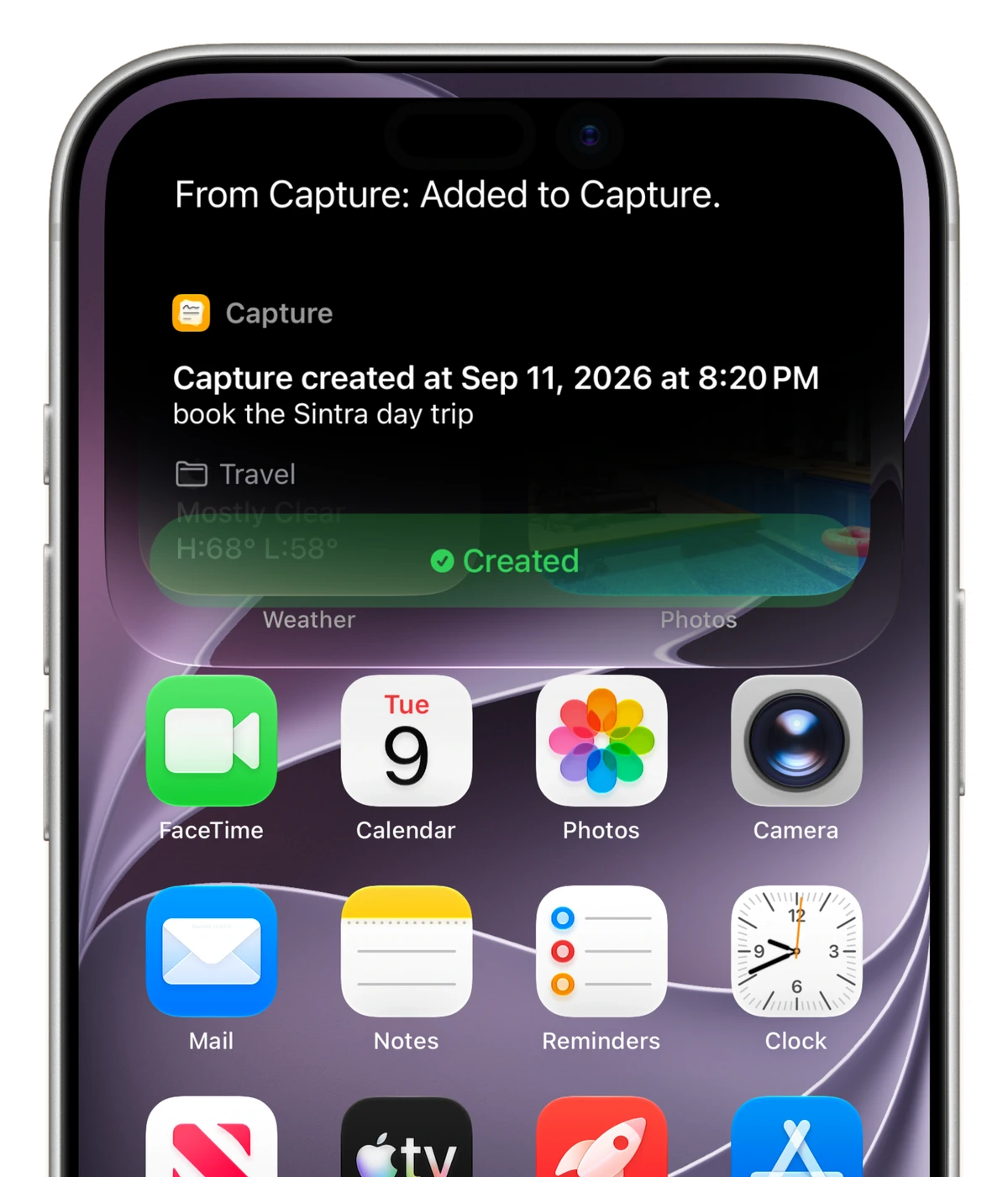
This one needs iOS 27, macOS 27 or visionOS 27. On last year's releases the existing Shortcuts actions still work the way they always have.
Agent mode for Voice Notes
Until now a voice note was a transcription. You talked, Capture wrote it down, and you got one note out of it.
Agent mode changes what happens after the recording stops. It first decides what the recording actually was. If you dictated a thought, it saves that thought verbatim, exactly like before. If you asked Capture to do something, it does it: several separate captures out of one breath, each in the right list, creating the list if you asked for one that does not exist yet.
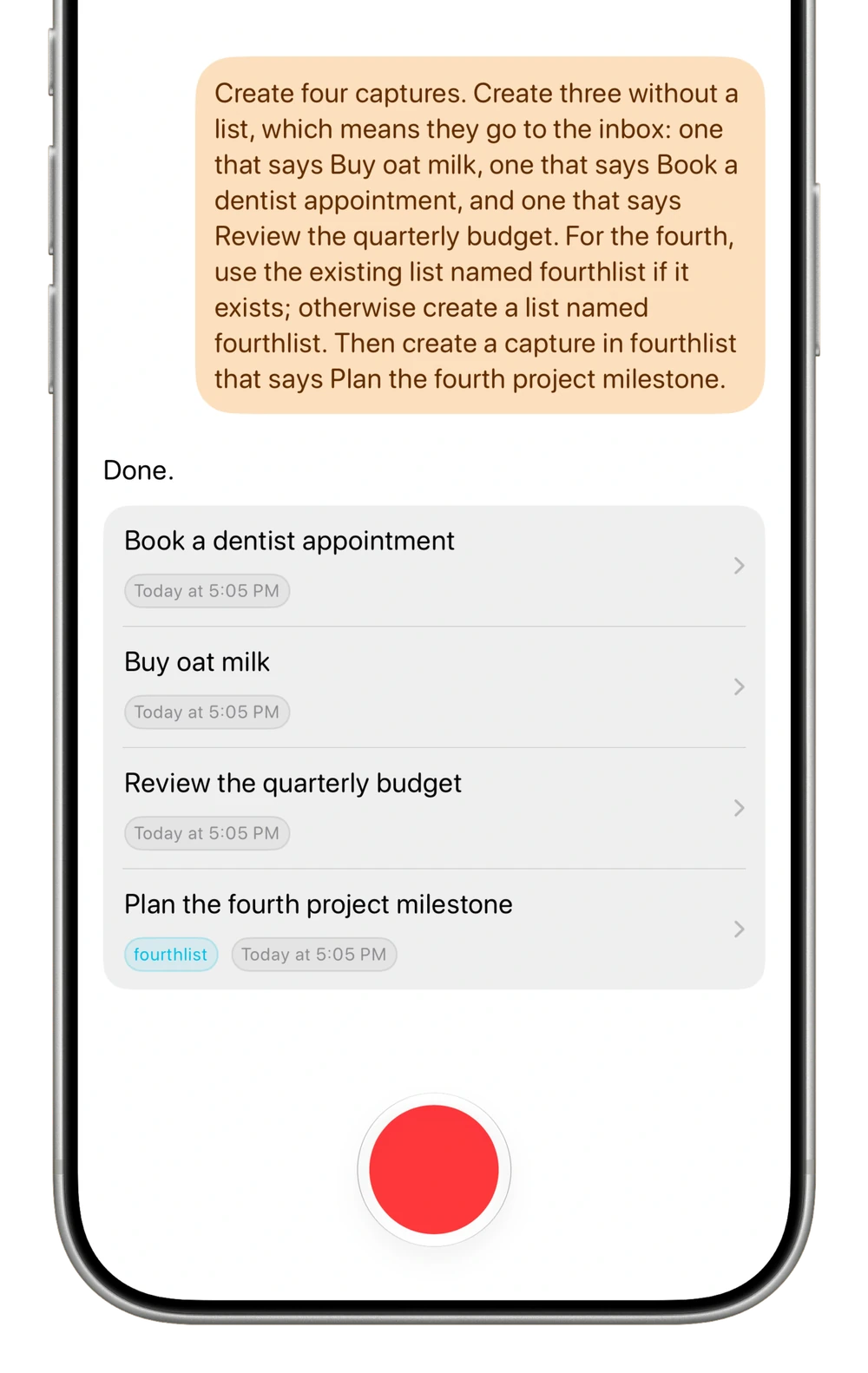
It runs on Apple Intelligence, so your recording is handled by Apple's own on-device model, and on this year's releases it can hand harder requests to Private Cloud Compute. You get it on iPhone, iPad, Mac and Vision Pro, wherever Apple Intelligence is available. The first time you open Voice Notes, Capture explains the change and lets you decide there and then. The switch also lives in Settings under Voice Notes, and turning it off gives you the old flow back with nothing else changed.
Spotlight indexing
Every capture is now indexed by Spotlight on iPhone, iPad, Mac and Vision Pro. Search from the Home Screen or from Spotlight on the Mac, and open the result straight in Capture. Your lists are indexed too on this year's releases, and anything else on the system that reads the Spotlight index can see them.
Existing captures are backfilled once in the background the first time you run 3.0, so you do not have to do anything to opt in.
Also in this release
Grid display mode now uses a two-column split on iPad, Mac, Vision Pro and in iPhone Mirroring. The grid keeps the full width next to the sidebar, and opening a capture pushes it into the same column instead of taking over the window.
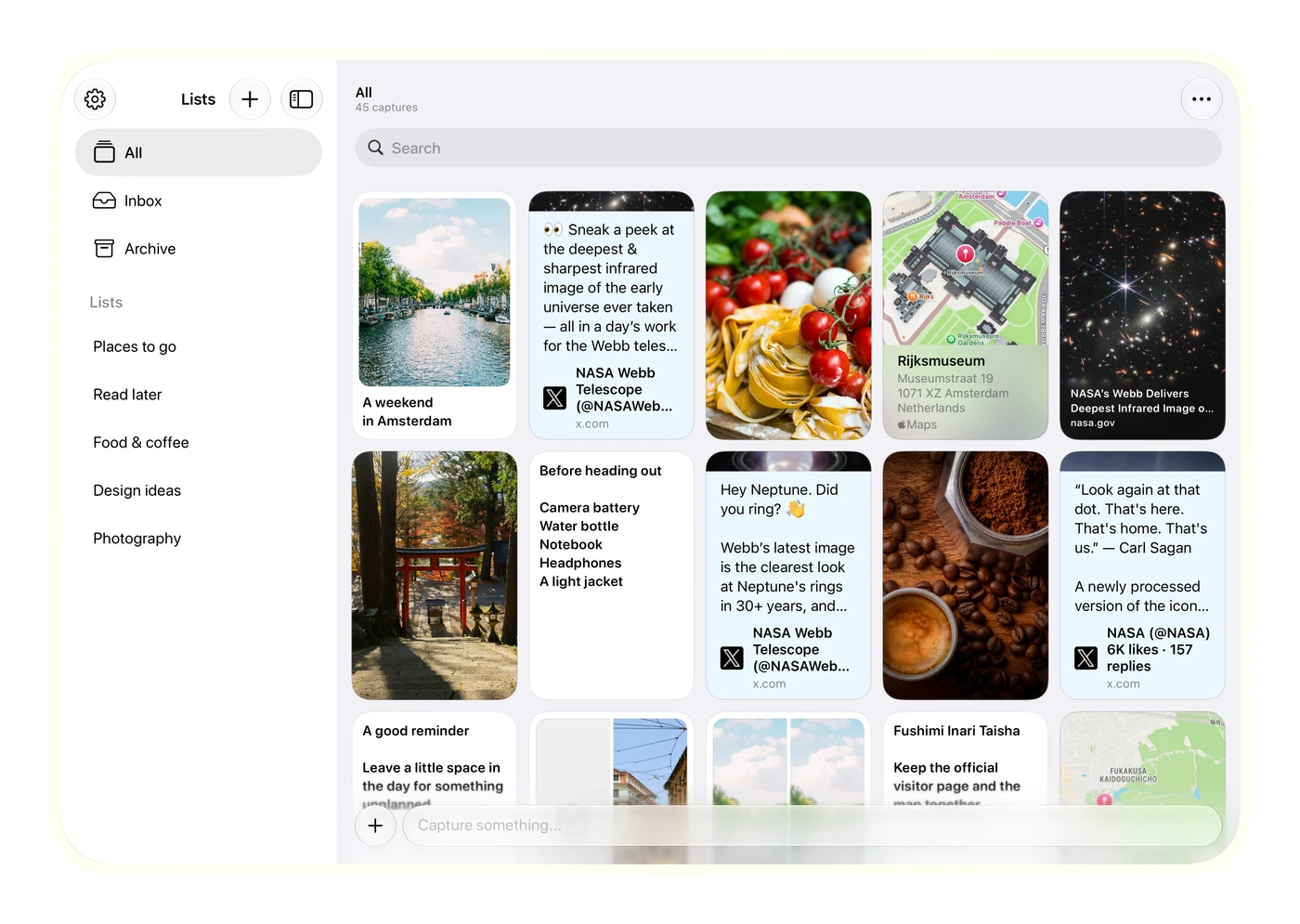
Some links get a real card instead of a generic preview: posts on X, and links to Apple TV, Apple Music, Apple Podcasts, the App Store and Apple Maps.
The keyboard also stays out of the way. Scrolling back through what you saved no longer opens it for you, so browsing does not feel like you are about to type.
Two fixes worth naming: reordering lists works again when two of them share a name, and an empty editor no longer refuses new text.
On Apple Watch, 3.0 is the same app rebuilt for watchOS 27. The three features above need a bigger screen than a watch has, so nothing changes in how you capture there.
The full list, including the smaller Mac fixes, is in the Capture changelog.
Capture 3.0 is on the App Store now. Get it for iPhone, iPad, Mac, Apple Watch and Apple Vision Pro.